Blog

  • How to Find Organic Traffic in GA4

    How to Find Organic Traffic in GA4

    The GA4 organic traffic report you need is the Traffic acquisition report, filtered to the Organic Search channel. It shows how many visits came from unpaid search results, which pages they landed on, and whether those visitors went on to enquire. Finding it takes about five minutes once you know where to click.

    Organic traffic means visits from people who clicked a normal search result on Google or Bing, not an ad. It’s the clearest sign of whether your SEO is working, because it measures real visits rather than rankings.

    This guide gives you the exact menu paths, explains what the numbers mean, and shows the mistakes that make reports look better or worse than they are.

    What the GA4 organic traffic report tells you

    GA4 (Google Analytics 4) sorts every visit into a channel, such as Organic Search, Paid Search, Direct or Referral. Google lists the rules for each one in its default channel group help page. The Organic Search channel answers three questions:

    • How many visits came from search engines, and whether that’s going up or down.
    • Which pages people landed on first.
    • What they did next, such as filling in a form or calling you.

    Here’s a Melbourne example. A physio clinic in Fitzroy sees 900 organic sessions in a month. Its landing page view shows most arrive on a page about sports injuries, not the home page. Of those visits, 22 ended in a booking enquiry. That tells the owner which page earns enquiries and which services might need better pages.

    Compare that with a builder in Essendon whose organic sessions doubled after a website rebuild, while enquiries stayed flat. The extra visits were landing on old blog posts about home renovation trends, read by people outside its service area. The traffic looked good, but it wasn’t bringing in work.

    GA4 can’t show you the search terms people typed. For that you need Search Console, which this guide links in step 6. Used together, the two tools show what people searched, where they landed and whether they became leads.

    Not sure your GA4 organic traffic report is telling the full story? Get a free consultation and we’ll check your setup.

    How to find organic traffic in GA4

    Menu names change from time to time, but the paths below match most GA4 properties today.

    Menu path to organic traffic in GA4 Menu path for the GA4 organic traffic report: Reports, then Acquisition, then Traffic acquisition, then the Organic Search row. Where to find organic traffic in GA4 Reports Acquisition Trafficacquisition OrganicSearch row โ€บโ€บโ€บ Then filter Landing page by the same channel to see which pages earn visits Best SEO Agency Melbourne
    Four clicks to your organic traffic numbers

    Step 1. Open the Traffic acquisition report

    Go to Reports > Acquisition > Traffic acquisition. In some properties this sits under Life cycle > Acquisition. You’ll see a line chart at the top and a table of channels below it, with columns for users, sessions, engagement rate and key events.

    Step 2. Check the first column

    The table’s first column should read Session primary channel group or Session default channel group. If it shows something else, click the column heading’s dropdown and switch it back.

    Step 3. Find the Organic Search row and set your dates

    Look for the Organic Search row. Use the date picker at the top right, and tick Compare to see the same period last year. Comparing year on year avoids seasonal swings, such as quieter weeks over Christmas.

    Step 4. See which search engines sent visits

    Change the first column to Session source / medium. You’ll see rows like google / organic and bing / organic. Google will usually be by far the biggest row for Australian sites, but Bing is worth watching too, because it also powers search in Microsoft Copilot.

    Step 5. See which pages people landed on

    Go to Reports > Engagement > Landing page. Click Add filter under the report title, choose Session default channel group, set it to exactly matches Organic Search, and click Apply. Now every row is a page that people found through search. Sort by Sessions to see your strongest pages, then look at Key events to see which ones bring enquiries.

    Step 6. Link Google Search Console

    Go to Admin > Product links > Search Console links and click Link. Choose your Search Console property and your web stream. You’ll need admin access in GA4 and owner access in Search Console. Once linked, the link appears in the list with your site’s address next to it.

    Step 7. Publish the Search Console reports

    The Search Console reports are hidden by default. Click Library at the bottom of the Reports menu, find the Search Console collection, and click Publish. Then open Reports > Search Console > Google organic search traffic. Google’s help page for this report notes data arrives about 48 hours after Search Console collects it.

    Step 8. Check enquiries from organic visits

    Back in Traffic acquisition, scroll right to the Key events column. Use its dropdown to pick your enquiry event, such as a form submission. This is the number that matters most for SEO tracking.

    What good looks like

    There’s no single “good” number, because it depends on your industry and suburb. Look at the direction of each metric and what it means together. A trend over three to six months tells you far more than one good or bad week.

    Reading your organic numbers
    What you see What it likely means What to do
    Sessions up, key events up SEO is working Keep going and add pages for more services
    Sessions up, key events flat Visitors aren’t the right fit, or pages don’t ask for the enquiry Review landing pages and calls to action
    Sessions flat, impressions up More searches show you, but fewer people click Check titles and AI Overview changes
    Sessions down sharply Tracking break, site change or ranking drop Check tracking first, then Search Console
    Low engagement rate Page doesn’t match what people searched Rewrite the page around the search

    Fewer clicks are normal now: Google users clicked a traditional result in 8% of visits when an AI summary appeared, against 15% without one (Pew Research Center, July 2025). AI Overviews were linked to a 58% lower click-through rate for the top result (Ahrefs, February 2026).

    Three numbers for organic SEO reporting SEO reporting guide showing the three organic numbers to check each month: organic sessions, landing pages and key events. Three numbers to check each month SessionsAre more peoplearriving fromsearch? Landing pagesWhich pagesbring them in? Key eventsDo they enquire,call or book? Best SEO Agency Melbourne
    Sessions, landing pages and key events tell most of the story

    Want to see what steady organic growth looks like for other Melbourne businesses? See our results.

    Common mistakes

    • Counting all traffic as SEO. Direct, referral and paid visits aren’t organic. Always filter to the Organic Search channel.
    • Comparing month to month only. December against November will almost always look bad. Compare with the same month last year.
    • No key events set up. Without them you can see visits but not enquiries. Set up a key event for your contact form first.
    • Short data retention. GA4 keeps detailed data for two months by default. Change it in Admin > Data collection and modification > Data retention to the longest option.
    • Not linking Search Console. Without it, you can’t see the searches behind your visits. Link it once and the data keeps flowing.
    • Counting your own visits. If staff search for the business and click through every day, it inflates organic numbers. In Admin > Data streams, open your stream, click Configure tag settings, then Define internal traffic to add your office IP address. Then turn the Internal Traffic filter on under Admin > Data filters.

    What to do next

    A good habit is a short monthly check: organic sessions, top landing pages and enquiries, each compared with last year. Bookmark the Traffic acquisition report and the landing page filter, and check them once a month. If the numbers don’t add up, start with our plain-English guide to Google Search Console for business owners and our guide on how to read an SEO report. Clear SEO reporting is part of our SEO Reporting and Analytics service, and our process starts with a free audit.

    If your organic numbers don’t make sense, it’s time for a second pair of eyes. Get your free consultation. No lock-in contracts.

    GA4 organic traffic report FAQs

    Where is the organic search report in GA4?

    Go to Reports > Acquisition > Traffic acquisition and find the Organic Search row. For page-level data, filter the Landing page report to the same channel.

    Why doesn’t GA4 match Search Console clicks?

    They measure different things. Search Console counts clicks on Google results, while GA4 counts sessions on your site, and cookie consent or ad blockers can stop some visits being recorded.

    Does the GA4 organic traffic report include Bing?

    Yes. Organic Search includes visits from all recognised search engines. Switch to Session source / medium to see each one.

    How often should I check organic traffic?

    Monthly is enough for most small businesses, as long as you compare like with like. Check weekly after a website change, so you catch tracking problems early. More answers are on our FAQ and blog.
  • Why Your Melbourne Business Isn’t Showing on Google Maps

    Why Your Melbourne Business Isn’t Showing on Google Maps

    A business not showing on Google Maps is one of the most stressful things an owner can find, especially when competitors down the road appear and you don’t. The good news is that most causes are common and can be checked in an afternoon.

    The most likely cause is a profile that isn’t verified, has been suspended, or doesn’t look relevant enough for the search. Start by searching your exact business name in Google Maps. If you appear for your name but not for “electrician Coburg”, your listing exists and the problem is ranking, not visibility.

    This guide covers a five-minute check, the five most common causes in order, the fix for each, and how to tell when it’s time to get help. No one can promise a set result or date, because Google decides local rankings, but these steps solve most missing listings.

    Check this first

    Before changing anything, run these five checks. Use a private browser window so your own search history doesn’t skew what you see.

    1. Search your exact business name in Google Maps. Note whether your listing appears at all.
    2. Sign in to the Google account that manages your profile and search your business name on Google. Look for a “Get verified” button or a suspension notice in the panel that appears.
    3. Check your primary category matches your main service, not a side service.
    4. Check your address or service area is set and correct.
    5. Check your hours and confirm the profile isn’t marked as temporarily or permanently closed.

    Five-minute Google Maps check Checklist for a business not showing on Google Maps: search your name, check verification, check your category, check your address or service area, and check your hours. Five-minute Google Maps check 1Search your exact business name in Maps 2Look for “Get verified” or a suspension notice 3Primary category matches your main service 4Address or service area is set and correct 5Hours are right and the profile is not marked closed Best SEO Agency Melbourne
    Run these five checks before you change anything

    Business not showing on Google Maps after these checks? Get a free consultation and we’ll find the cause.

    Why your business is missing from Google Maps and how to fix it

    Google ranks local results on three things: relevance, distance and prominence. Its guide to improving your local ranking explains each one. The causes below are listed from most to least common.

    If your business not showing on Google Maps started suddenly, after an edit or a move, look at causes 1 and 2 first. If it has never ranked well, causes 3 to 5 are more likely.

    1. Your profile isn’t verified

    How to tell: you see a “Get verified” button when you search your business name while signed in. Unverified profiles often don’t appear publicly at all. A Brunswick cafรฉ that changes its name on the profile, for example, may be asked to verify again.

    1. Sign in to the Google account that owns the profile.
    2. Search your business name on Google to open the management panel.
    3. Click Get verified and choose from the options shown. These vary by business and can include a video, phone call, text or email.
    4. Have proof ready, such as your signage, vehicle branding or business documents.
    5. Wait for Google’s review, which can take several days. Don’t keep editing the profile while you wait.

    2. Your profile has been suspended

    How to tell: your listing has vanished from Maps completely, even for your exact name, and there’s a notice in your profile.

    1. Read Google’s guidelines for representing your business.
    2. Fix the likely trigger. Common ones are extra keywords in your business name, a virtual office or PO box address, or more than one listing for the same business.
    3. Use the appeal link in the suspension notice and upload proof of your business.

    Warning: don’t delete your profile and start again. You can lose your reviews and history, and a new listing may be flagged too. If an appeal fails, get expert help before trying anything drastic.

    3. Your categories are wrong or too broad

    How to tell: you appear for your name but not for your main services.

    1. Open your profile and click Edit profile, then Business information.
    2. Set the primary category to your main service, such as “Plumber” rather than “Contractor”.
    3. Add relevant secondary categories and list your services.

    Google’s categories are fixed, so pick the closest match from the list rather than typing your own. Check what the top three competitors for your main search use as a guide.

    4. Distance and service area settings

    How to tell: you show near your base but not in other suburbs. A cleaner in Richmond, for example, may appear in Cremorne but not in Werribee.

    1. If customers don’t visit you, hide your address and set a service area by suburb.
    2. Keep the service area realistic. Google still weighs distance, so you won’t rank everywhere.
    3. Add a page on your website for each area you serve, with real details about the work you do there.

    5. Low prominence compared with competitors

    How to tell: you appear, but well below competitors with more reviews and stronger websites.

    1. Ask every happy customer for Google reviews, and reply to each one.
    2. Link your profile to your website and keep your name, address and phone the same everywhere.
    3. Get mentioned on other trusted websites, such as local business groups, suppliers and industry directories.
    4. Never buy or filter reviews. The ACCC’s guidance on online reviews explains the rules for Australian businesses.

    Business not showing on Google Maps causes at a glance

    Use this table to match what you see to the most likely fix. Timeframes are general, because Google doesn’t publish fixed review times.

    Common causes, signs and fixes
    Cause Sign Fix Time to show
    Not verified “Get verified” button Complete verification Days after approval
    Suspended Missing even for your name Fix trigger, then appeal Days to weeks
    Wrong category Found by name only Change primary category Days to weeks
    Distance Only found near your base Service area and suburb pages Weeks to months
    Low prominence Ranked below competitors Reviews, replies, website Months

    Reviews matter: 74% of consumers look for reviews written in the last three months, and 89% expect owners to respond. Source: BrightLocal Local Consumer Review Survey 2026 (US consumer panel).

    How to check the fix worked

    Search for your main service from a phone in the suburb you want to rank in, using a private window. Then open your profile and click Performance to see searches, views and calls over time.

    Give each change two to four weeks before judging it. Make one change at a time where you can, so you know what worked. A business not showing on Google Maps rarely bounces back overnight, so patience matters here.

    If your profile links to your website, Search Console can show whether local clicks pick up. Go to Performance > Search results, filter by your suburb or service name, and compare the last 28 days with the period before. For the profile settings worth keeping an eye on, see our 12-step Google Business Profile checklist for Melbourne businesses.

    Is it missing or just ranking low? Flowchart for a Google Business Profile that is hard to find: if you can’t find it by name, check verification and suspension; if you can, work on categories, service area and reviews. Missing or just ranking low? Can you find it by exact name? No Yes Visibility problem Check verification Check for suspension Read the guidelines Ranking problem Fix your categories Set a realistic service area Earn and reply to reviews Best SEO Agency Melbourne
    Work out which kind of problem you have before you fix it

    Want to see what fixing local visibility looks like for other Melbourne businesses? See our results.

    When to get help

    Some problems are bigger than a DIY fix. Get a second pair of eyes if your listing is still missing four weeks after these steps, an appeal has been rejected, someone else has taken control of your profile, or you have duplicate listings you can’t remove.

    Also watch for changes you didn’t make, such as a new name, phone number or website on your profile. Anyone can suggest edits, and Google sometimes accepts them.

    These cases often need a careful look at your profile history and website together. Local SEO Melbourne businesses rely on is part of our SEO services, and our four-step process starts with a free audit. For other common slip-ups, see the biggest SEO mistakes Melbourne small businesses make.

    If your business is still not showing on Google Maps after four weeks, it’s time for an expert check. Get your free consultation. No lock-in contracts.

    Business not showing on Google Maps FAQs

    Why does my business show on Google Search but not on Google Maps?

    Usually it’s a ranking issue, not a missing listing. Search your exact business name in Maps. If you appear, work on categories, service area and reviews.

    How long does it take to appear on Google Maps after verifying?

    Often a few days, but it can take longer if Google reviews your details. Avoid editing the profile during that time.

    Can I pay Google to rank higher on Maps?

    No. Google states there’s no way to request or pay for a better local ranking. Ads can appear above the map results, but they don’t change your organic position.

    Should I create a new profile if mine is suspended?

    No. A new profile can be suspended too, and you may lose your reviews. Fix the cause and appeal instead. More answers are on our FAQ and blog.

  • Best SEO Agencies in Melbourne for Accountants

    Best SEO Agencies in Melbourne for Accountants

    The best SEO agency for accountants Melbourne firms can hire is one that writes clear, accurate content your clients search for, and never makes claims your registration cannot back up. Look for a content plan built around your services, honest reporting on enquiries, and copy checked against the Tax Practitioners Board’s rules.

    Accounting is a trust business. People rarely pick a tax agent from an ad. They search a question, read an answer that makes sense, then check reviews. This guide will not rank or name agencies. It explains what an accounting firm needs from SEO, the questions to send any agency, a checklist you can screenshot, and the warning signs that should make you pause.

    What SEO for accountants should include

    SEO for accountants is mostly about content. A sole trader in Footscray searches “do I need to register for GST”, a family in Camberwell searches “SMSF accountant near me”. If your site answers those questions clearly, you earn the visit and the trust.

    A good agency will usually build this around four areas:

    • A content strategy. A written plan listing the services and questions to cover first, such as tax returns, BAS, SMSF, business structures and bookkeeping, mapped to the people who search for them.
    • On-page SEO. The changes made on each page so Google understands it, including clear headings, internal links and title tags. Title tags are the blue headline Google shows in search results.
    • Topical authority. Covering a subject well across several linked pages, so Google sees your firm as a reliable source on, say, small business tax.
    • Reporting on enquiries. Monthly reports showing new pages, enquiries and calls, not just traffic.

    Here is how that looks in practice. A two-partner firm in Moonee Ponds wants more small business clients. Rather than publishing a general “tax tips” blog each week, it builds one strong guide on choosing a business structure, then links shorter pages on sole trader tax, company tax and trusts back to it. Each page answers one question well and ends with a clear way to book. Over time, Google starts treating the firm as a useful source on that subject. That is the kind of plan the best SEO agency for accountants Melbourne practices can work with should put in front of you.

    The bar is higher than most owners expect. Ahrefs’ 2023 search traffic study found 96.55% of pages get no traffic from Google at all. Thin, generic tax articles are a big part of that pile. Content only works when it answers a real question better than the pages already ranking.

    Your marketing also has to follow the rules. The Tax Practitioners Board’s Code of Professional Conduct requires registered agents to act honestly and with integrity, and changes made in 2024 added further obligations, including on false or misleading statements to the ATO and the Board. Separately, the ACCC’s guidance on false or misleading claims applies to every business. Copy like “guaranteed bigger refund” or “the ATO’s preferred accountant” can mislead clients and put your registration at risk. This is general information, not legal advice.

    Not sure your firm’s site answers the questions clients ask? We will review your content and page headlines for free. Get a Free Consultation.

    Four parts of SEO for an accounting firm Infographic showing what the best SEO agency for accountants Melbourne firms can hire should deliver: a content plan, on-page fixes, linked topic pages and reports on enquiries. What an accounting firm needs from SEO 1Content planby service 2On-page fixesand titles 3Linked topicpages 4Reports onenquiries Best SEO Agency Melbourne
    Four parts of a sound SEO plan for an accounting practice

    Questions to send an agency

    Copy these into an email and send them to each agency you are considering. Ask for written answers.

    1. “Who writes our content, and do they understand Australian tax terms like BAS, Division 7A and SMSF?”
    2. “Who checks articles for accuracy before they go live, and can our team sign off first?”
    3. “How will you keep copy in line with the TPB Code and Australian Consumer Law?”
    4. “Can you show us a sample content plan for our first three months?”
    5. “How will you update tax articles when thresholds and rules change each financial year?”
    6. “How will you track enquiries and booked appointments from search?”
    7. “Who owns the content and accounts if we stop working together?”

    Accuracy is the big one. A wrong tax threshold on your site does more damage than no article at all. Good SEO copywriting for an accounting firm is plain, correct and dated, with a named reviewer from your team.

    Ask each agency to walk you through one past content plan from start to finish. You want to hear how they chose the topics, who checked the facts, and what happened to enquiries afterwards. The best SEO agency for accountants Melbourne owners can rely on will be happy to show the plan, the drafts and the results side by side, with client details removed.

    Timing matters too. Search interest in tax topics rises around the end of the financial year and the October lodgement period. Ask how the agency plans content ahead of those peaks, not during them. Accountants marketing Melbourne wide often only remember SEO in June, which is too late for new pages to settle.

    What a strong answer looks like
    Area Strong answer Weak answer
    Writers Writers who know Australian tax, with your sign-off Generic writers or unedited AI drafts
    Compliance Copy checked against the TPB Code and ACL “We keep it salesy”
    Planning Three-month plan tied to services and tax dates “Four blogs a month”
    Updates Yearly review of thresholds and rules Publish and forget
    Reporting Enquiries, calls and pages published Traffic charts only

    Content data: Ahrefs search traffic study, 2023. Review data: BrightLocal Local Consumer Review Survey 2026.

    Accounting firm SEO checklist

    Screenshot this and use it on each agency call. Six or more ticks means the agency is worth a second meeting.

    Accounting firm SEO checklist Checklist of eight things an agency should cover for an accounting firm, from on-page SEO on each service page to keeping every account in your name. Accounting firm SEO checklist One page per core service Clear title and headings Three-month content plan Your team signs off copy TPB and ACL check Yearly tax update review Enquiry tracking Accounts in your name Best SEO Agency Melbourne
    Eight things to tick off before you hire

    Warning signs

    • Bulk AI articles. Dozens of near-identical tax posts with no review. They rarely rank and can contain errors. Ask who checks each one, and how.
    • Outdated figures. Articles quoting last year’s rates or thresholds with no update date.
    • Risky claims. “Guaranteed refunds”, “lowest fees in Melbourne” or implied ATO links. These can mislead and breach your obligations.
    • Fake or filtered reviews. BrightLocal’s 2026 survey found 74% of consumers want reviews from the last three months. Earn them steadily from real clients. Never buy them.
    • Guaranteed rankings. No one can promise a position on Google.

    If you spot one of these in your current setup, ask for a written plan to fix it, with dates. Start with the riskiest items, such as misleading claims and out-of-date figures, because they affect clients today. Then deal with thin or duplicate articles, which can often be merged into one stronger page rather than deleted. For a deeper look at writing that works for people and search engines, read our guide to writing for humans and Google at the same time.

    Want to see what steady, useful content did for other Melbourne businesses? See Our Results.

    How we handle SEO for accounting firms

    Our four-step process starts with a Free Consultation and Site Audit of your pages, titles and content gaps. Then a Custom SEO Strategy, including a content plan around your services and the tax calendar. Next, In-House Execution, with your team signing off every article before it goes live. Finally, Grow and Compound, adding and updating pages each month. Our SEO services include SEO Content Strategy. To turn your own client questions into articles, try our five-step method for turning a customer question into a blog article.

    Looking for the best SEO agency for accountants Melbourne clients trust? Get your free consultation. No lock-in contracts.

    Best SEO agency for accountants Melbourne FAQs

    How much does SEO cost for an accounting firm?

    It depends on how many services and suburbs you target and how much new content you need. Ask for a fixed monthly scope in writing, so you can compare quotes fairly. Check whether content writing, updates and reporting are all included, or charged on top.

    How long before SEO brings in new clients?

    New content usually needs a few months to settle in Google, and competitive topics take longer. Plan ahead of tax season rather than during it. Anyone who promises new clients by a set date is guessing.

    Can I use client reviews in my marketing?

    Yes, if they are genuine and not edited to mislead. Avoid quoting reviews that imply guaranteed outcomes, such as a set refund amount.

    Should my accountants write the content themselves?

    Not necessarily. A good setup is a writer drafting and your accountant checking for accuracy. That keeps the wording easy to read while your team stays responsible for the technical detail. More answers are on our FAQ and blog.

  • Technical SEO Agencies in Melbourne for Law Firms

    Technical SEO Agencies in Melbourne for Law Firms

    Good technical SEO for law firms Melbourne clients can find starts with a fast, secure site that Google can read without errors. If your pages load slowly on a phone, or Google cannot crawl your practice area pages, even the best legal content will sit unseen.

    Technical SEO means the behind-the-scenes work that helps search engines find, load and understand your site. It is less visible than blog writing, which is why it is easy to oversell. This guide will not rank or name agencies. It explains what a law firm needs from technical work, the questions to send any agency, a checklist, and the warning signs. It also covers the advertising rules your site still has to follow, because a technical fix that adds misleading claims is no fix at all.

    What a law firm needs from technical SEO

    Most people looking for a lawyer search on a phone, often in a stressful moment. Google uses mobile-first indexing, which means it mainly looks at the mobile version of your site when deciding where you rank. If your mobile site hides content or loads slowly, that is the version Google judges.

    A good technical agency will usually cover these areas for a firm:

    • Site speed and Core Web Vitals. Google’s three measures of loading speed, responsiveness and visual stability. Google’s web.dev guide sets “good” as a Largest Contentful Paint of 2.5 seconds or less, Interaction to Next Paint of 200 milliseconds or less, and Cumulative Layout Shift of 0.1 or less.
    • Crawlability. Making sure Google can reach every practice area, lawyer profile and location page through clean links, a working sitemap and no accidental blocks.
    • Schema markup. Code that tells Google your firm’s name, address, practice areas and lawyers in a structured way.
    • Security and redirects. HTTPS everywhere, no redirect chains after a rebrand or merger, and no broken pages from old matters.
    • Clear reporting. Monthly notes on what was fixed, with before and after numbers you can check in Search Console.

    The gap is real. The HTTP Archive Web Almanac 2025 found only 48% of websites passed all three of these measures on mobile, using July 2025 data. That leaves room for a well-built firm site to stand out from slower competitors.

    Picture a family law firm in Box Hill. Its new site looks polished, but the home page loads a large video before any text appears. On a train with patchy signal, a parent looking for urgent advice sees a blank screen for several seconds and goes back to Google. Nothing on that site is “broken”, yet it quietly loses enquiries every week. Technical work finds and fixes problems like this, often with small changes such as compressing images or loading the video later.

    Your site also has to follow the rules for legal advertising. In Victoria, the Victorian Legal Services Board and Commissioner explains that the Legal Profession Uniform Law and the Australian Solicitors’ Conduct Rules apply to solicitors. Rule 36 says advertising must not be false, misleading, deceptive or offensive, and you cannot claim “accredited specialist” status unless you hold it. An agency that adds “Melbourne’s top divorce specialists” to your page titles creates risk for you, not for them.

    Worried your firm’s site is slow or hard for Google to read? We will check speed, crawl errors and page titles for free. Get a Free Consultation.

    Five technical checks for a law firm website Infographic showing five areas of technical SEO for law firms Melbourne practices should check: mobile speed, crawlability, schema, security and redirects, and compliant page titles. Five technical checks for a law firm site 1Mobilespeed 2Google canreach everypage 3Structuredfirm details 4HTTPS andcleanredirects 5Rule 36safe titles Best SEO Agency Melbourne
    The five technical areas to ask any agency about

    Questions to send an agency

    Copy these into an email and send them to each agency on your list. Clear written answers tell you more than any sales call.

    1. “Can you run a crawl of our site and share the top ten issues before we sign?”
    2. “What are our current mobile speed scores from real visitors, and which pages fail?”
    3. “Will your fixes need our web developer, or do you make the changes yourselves?”
    4. “How will you check that page titles and schema follow the Solicitors’ Conduct Rules?”
    5. “What changes will you make in the first 90 days, and how will we see them?”
    6. “How will you track calls and enquiry forms, not just traffic?”
    7. “Who owns the site, the Search Console account and the analytics if we part ways?”

    A strong agency will share real numbers from your site, not generic claims. Google’s advice on hiring an SEO suggests asking how changes will be made and how results are measured. Ask, too, how they work with your developer. Many firm sites run on custom builds where one careless change can break forms or contact pages.

    If you are comparing broader SEO for law firms, technical work is only one part, and it should be priced as its own line in any proposal so you can see what you are paying for. Content and local search matter too. But without a sound technical base, the rest struggles.

    What to check and what good looks like
    Area What good looks like Warning sign
    Mobile loading (LCP) 2.5 seconds or less Hero images or videos that delay the main text
    Responsiveness (INP) 200 milliseconds or less Heavy chat widgets and pop-ups
    Crawl errors Few or none in Search Console Practice pages marked “not indexed”
    Structured data Firm, address and lawyers marked up correctly Fake review stars added to pages
    Page titles Plain, accurate practice area names “Best” or “specialist” claims you cannot back up

    Thresholds: web.dev Core Web Vitals. Pass rate data: HTTP Archive Web Almanac 2025, Performance chapter.

    Technical SEO checklist for your firm

    Screenshot this and tick it off on each agency call. If an agency cannot explain at least six of these in plain words, keep looking.

    Share of websites with good Core Web Vitals on mobile, 2025 Bar chart of 2025 Web Almanac data showing Core Web Vitals on mobile: 62% of sites have good loading, 77% good responsiveness, 81% good visual stability, and 48% pass all three. Websites with good Core Web Vitals on mobile (2025) 62%Loading (LCP) 77%Response (INP) 81%Stability (CLS) 48%Pass all three Best SEO Agency Melbourne ยท Source: HTTP Archive Web Almanac 2025
    Fewer than half of websites pass all three measures on mobile
    • Mobile pages load the main content in 2.5 seconds or less
    • Every practice area page is indexed in Search Console
    • XML sitemap is current and submitted
    • No redirect chains from old domains or merged firms
    • Firm details marked up with structured data
    • Page titles follow Rule 36, with no unearned “specialist” claims
    • Enquiry forms and calls tracked as conversions
    • All accounts held in the firm’s name

    Warning signs

    • A score instead of a plan. A page speed score of 100 means little if your enquiry pages still fail on real phones. Ask for field data, which comes from real visitors.
    • “We will rebuild everything.” A full rebuild is sometimes right, but it is also the riskiest option. Ask why smaller fixes will not do.
    • Fake schema. Adding review stars or ratings that do not exist can lead Google to ignore your structured data, or worse.
    • Misleading claims. Titles promising “guaranteed wins” or “No.1 lawyers” break conduct rules. You answer for them, not the agency.
    • Guaranteed rankings. No one can promise a position on Google.

    Law firms marketing Melbourne wide often use several suppliers at once, so ask each one to show only the enquiries their work produced. For more on contract traps, read our guide to red flags when hiring an SEO agency in Melbourne.

    Want to see how technical fixes turned into enquiries for other Melbourne businesses? See Our Results.

    How we handle technical SEO for law firms Melbourne wide

    Our four-step process starts with a Free Consultation and Site Audit, where we crawl your site and pull your real speed data. Next comes a Custom SEO Strategy that puts the fixes in order of impact. Then In-House Execution, where our own team makes the changes or works with your developer. Finally, Grow and Compound, building on each month’s gains. See all our SEO services, including Technical SEO. To understand the reports we will show you, read our plain-English guide to Google Search Console.

    Need technical SEO for law firms Melbourne clients actually find? Get your free consultation. No lock-in contracts.

    Technical SEO for law firms Melbourne FAQs

    What is technical SEO for a law firm?

    It is the work that helps Google load, crawl and understand your website. That includes speed, mobile layout, structured data and fixing broken pages. It supports your content rather than replacing it.

    Does site speed affect how many enquiries we get?

    Slow pages lose impatient visitors, especially on phones. Speed is also one of the signals Google uses. Fixing it will not guarantee more enquiries, but it removes a common barrier.

    Can an agency use “specialist” in our page titles?

    Only if the lawyer holds accreditation from the relevant body. Rule 36 bars false or misleading impressions of specialist expertise.

    How long do technical fixes take to show?

    Google needs to recrawl the pages first, which can take days or weeks. Bigger changes take longer to settle. See our FAQ and blog for more.

  • Best SEO Agencies in Melbourne for Dentists

    Best SEO Agencies in Melbourne for Dentists

    If you are looking for the best SEO agency for dentists Melbourne has to offer, start with fit, not fame. The right agency knows how patients search for a dentist nearby, follows AHPRA advertising rules without being reminded, and reports on booked appointments rather than vague rankings.

    Plenty of practice owners have paid for “SEO” for a year and still could not say what was done. This guide will not rank or name agencies. Instead, it shows you what good dental SEO looks like, the questions that sort agencies quickly, a checklist you can screenshot, and the warning signs to walk away from. By the end, you will be able to judge any proposal on your own terms.

    What SEO for dentists needs to cover

    SEO for dentists is mostly local. A patient with a cracked tooth in Coburg types “emergency dentist near me” and picks from the three businesses shown on the map. That map is called the map pack, and it is where most new patient calls start. Good local SEO Melbourne work for a clinic focuses there first.

    A good agency will usually handle five things for a practice:

    • Your Google profile. Correct categories, opening hours, services and photos on your Google Business Profile, kept in line with Google’s rules for representing your business.
    • Treatment pages. One clear page each for check-ups, implants, Invisalign, children’s dentistry and emergencies, written in plain words a patient can follow.
    • Suburb pages. Useful pages for the suburbs you really serve, with real directions, parking and transport details, not copies with the suburb name swapped.
    • Reviews, the compliant way. A steady system for asking every patient for feedback, never only the happy ones.
    • Honest reporting. Fortnightly or monthly reports showing work done, calls, bookings and form enquiries, not just a ranking chart.

    Reviews matter more each year. BrightLocal’s 2026 Local Consumer Review Survey found 74% of consumers look for reviews written in the last three months, so a steady flow beats a burst. The same rules shape what you can say. AHPRA’s summary of advertising obligations says advertising must not use testimonials about clinical aspects such as symptoms, treatment or outcome, and that you must remove them from pages you control. An agency that writes “pain-free results guaranteed” on your site is putting your registration at risk, not just your rankings.

    Not sure your clinic shows up when nearby patients search? We will check your profile, site and AHPRA risks for free. Get a Free Consultation.

    Five things to judge a dental SEO agency on Infographic showing five criteria for choosing the best SEO agency for dentists Melbourne clinics can trust: local results, AHPRA compliance, treatment pages, review process and reporting on bookings. Judge a dental SEO agency on five things 1Map packand localresults 2AHPRAsafecopy 3Cleartreatmentpages 4Fairreviewprocess 5Reports oncalls andbookings Best SEO Agency Melbourne
    Five criteria to compare dental SEO proposals side by side

    Questions to ask before you hire

    Send these questions to every agency on your shortlist. Copy them into an email as they are. Good agencies answer in writing, in plain English, within a few days.

    1. “Which dental or allied health clients have you worked with, and can I speak to one of them?”
    2. “How do you make sure our website and profile copy follow AHPRA’s advertising guidelines? Who checks it?”
    3. “What will you do in the first 90 days, week by week?”
    4. “How will you track phone calls and online bookings from search, not just visits?”
    5. “How do you ask patients for reviews, and do you ever filter out unhappy ones?”
    6. “Who owns the website, content and Google accounts if we stop working together?”
    7. “What is the monthly fee, what does it include, and what is the notice period?”

    A good test is to ask how they would handle your busiest treatment. The best SEO agency for dentists Melbourne clinics can hire will talk about that treatment page, your map listing and your booking system together, because a patient needs all three to book.

    Listen for specifics. “We will optimise your site” is not an answer. “We will rewrite your implant and emergency pages, fix your profile categories and set up call tracking in month one” is. Google’s own advice on hiring an SEO suggests asking for examples of past work and how results will be measured, which lines up with the list above.

    Ask about cost early, too. Whoever you choose as the best SEO agency for dentists Melbourne wide, the fee should match the scope. Clutch’s October 2026 pricing guide puts the average SEO project at about US$3,199 a month, with Australian agencies typically charging US$100 to US$149 an hour. A clinic in one suburb usually needs less than a multi-site group, so ask what is included at each price.

    What a strong answer looks like
    Question area Strong answer Weak answer
    AHPRA compliance Named person reviews copy against the guidelines “We know the rules”
    First 90 days Written plan with tasks by month “We start with keyword research”
    Reporting Calls, bookings and work completed Rankings and “visibility” only
    Ownership Everything set up in your practice’s name Accounts held by the agency
    Cost Fixed monthly scope in writing Price changes once you sign

    Pricing source: Clutch SEO Agency Pricing Guide, October 2026. Review recency source: BrightLocal Local Consumer Review Survey 2026.

    Dental SEO checklist

    Screenshot this list and tick it off during each agency call. If an agency cannot cover at least six of the eight, keep looking.

    Dental SEO agency checklist Checklist of eight things a dental SEO agency should cover, starting with a complete Google Business Profile and ending with a clear notice period. Dental SEO agency checklist Complete, accurate Google profile One page per main treatment Useful pages for suburbs you serve AHPRA check on every page Ask every patient for a review Call and booking tracking Accounts in your name Clear fee and notice period Six or more ticks: worth a second meeting Best SEO Agency Melbourne
    Eight things a dental SEO agency should cover

    Warning signs to walk away from

    Most poor results come from the same few habits. Watch for these:

    • Guaranteed rankings. No one can promise a top spot on Google. If they do, ask which search term, then walk away.
    • Testimonial-heavy copy. Pages full of patient quotes about pain-free implants or perfect smiles break AHPRA rules. You carry that risk, not the agency.
    • Review gating. Sending only happy patients to Google and unhappy ones to a private form misleads future patients. Ask every patient the same way.
    • Cloned suburb pages. Fifty near-identical pages that only swap the suburb name rarely help and can drag the whole site down.
    • No access. If your Google profile or analytics sit in the agency’s account, you lose them when you leave.

    Also watch the bigger picture. Dentists marketing Melbourne wide often run paid ads, social media and SEO at once, and agencies sometimes take credit for each other’s work. Ask each provider to show which calls and bookings came from their channel only. If two agencies claim the same patient, neither report is telling you the full story.

    Google reviews deserve the same care. A sudden jump of twenty five-star reviews in one week looks unnatural to patients and to Google. A slow, steady flow from real patients after each visit looks normal, because it is. If an agency offers to “boost” your reviews, that is a clear sign to stop.

    If you already see one of these, ask for a written explanation and a fix date. Our guide to choosing an SEO agency in Melbourne without a 12 month mistake covers contract terms in more depth.

    Want to see how other Melbourne businesses improved their local search? See Our Results.

    How we handle dental SEO

    Our four-step process is the same for every clinic. First, a Free Consultation and Site Audit, where we check your profile, pages and any AHPRA risks. Second, a Custom SEO Strategy built around the treatments and suburbs that matter to your practice. Third, In-House Execution: our own team does the work, with no hidden outsourcing. Fourth, Grow and Compound, where we build on what is working each month. You can see the full range of SEO services, including local SEO and reporting. For profile basics you can do yourself today, use our Google Business Profile checklist for Melbourne businesses.

    Ready to find out if we are the best SEO agency for dentists Melbourne practices can rely on for your clinic? Get your free consultation. No lock-in contracts.

    Best SEO agency for dentists Melbourne FAQs

    How much does SEO cost for a dental clinic?

    It depends on how many locations and treatments you want to rank for. Clutch’s 2026 data puts the average SEO project at about US$3,199 a month, but single-suburb clinics often need less. Always ask for the scope in writing.

    How long does dental SEO take to work?

    Profile and page fixes can show movement within a few months, while competitive treatments like implants take longer. Anyone who gives you a fixed date is guessing.

    Can I use patient reviews on my website?

    Not if they talk about clinical aspects such as treatment or outcomes. AHPRA treats those as testimonials. Comments about customer service or friendly staff are generally fine. Use AHPRA’s testimonial tool if unsure.

    Do I need a specialist dental agency?

    Not always. You need an agency that understands local search and health advertising rules, and that can show similar work. More answers are on our FAQ, and more guides on our blog.

  • 5 SEO Myths That Are Wasting Your Melbourne Marketing Budget in 2026

    Talk to enough Melbourne business owners about their websites and you will hear the same handful of “facts” repeated with total confidence: stuff the page with keywords, buy a batch of backlinks, set it up once and walk away. Most of it is wrong, and some of it can get a site penalised. SEO myths like these do not just waste time, they waste the marketing budget a small business can least afford to burn on tactics that stopped working years ago, or never worked at all. Here are five of the SEO myths we hear most often from Melbourne business owners, what the evidence actually shows, and what to do instead.

    Myth 1: SEO is a one-time job you can tick off and forget

    This is the costliest myth on the list because it sounds like common sense: redesign the site, add some headings, done. Except Google’s ranking systems do not stand still. In 2025 alone, Google rolled out three broad core updates, in March, June and December, each capable of reshuffling rankings overnight for sites that had not kept pace, according to Google’s own Search Central documentation on core updates.

    A cafe in Brunswick that ranked well in 2023 on a few blog posts and a decent Google Business Profile can quietly slide to page two by 2026, not because anything was done wrong, but because competitors kept working and the site did not. Technical fixes go stale, content ages as prices and hours change, and links decay as other sites close down or get redesigned.

    Treat SEO the way you would treat bookkeeping or stock control: an ongoing function of the business, not a project with an end date. That does not mean a full rebuild every quarter. It means checking rankings and technical health on a regular cadence and adjusting as you go.

    Not sure where your own site stands right now? Our free 30-minute audit will tell you exactly what’s working and what isn’t, even if you never become a client. Book a free consultation.

    Myth 2: More keywords crammed onto the page will get you found faster

    This one comes from the early 2000s and refuses to die: if “plumber Melbourne”, “Melbourne plumber” and “emergency plumber Melbourne” all appear a dozen times on one page, Google will supposedly reward the effort. In reality, Google’s own Search Essentials guidelines list keyword stuffing as a spam practice that can get a page ranked lower or removed from search results altogether.

    What actually works is writing the page for the person who lands on it. A tradie site in Footscray does not need “emergency plumber” repeated forty times; it needs one clear heading naming the service and suburb, a short job explanation, a realistic price range, and a way to book. Google’s systems understand meaning, not repeated words, so unnatural repetition reads as a warning sign, not a ranking boost.

    If a sentence would sound strange read aloud to a customer, it has too many keywords crammed in. Write for the actual customer first, and let clear headings and one topic per section do the rest of the work keyword stuffing used to try to fake.

    SEO myth versus reality comparison for Melbourne businesses A four-row comparison table showing common SEO myths on the left in red and the Google-confirmed reality on the right in teal, covering set-and-forget SEO, keyword stuffing, the meta keywords tag, and backlink quantity versus quality. SEO MYTH vs REALITY โœ• MYTH โœ“ REALITY

    “Set it and forget it” Needs ongoing work as Google updates

    More keywords = higher rank Natural writing for real customers wins

    Meta keywords tag helps rankings Google has ignored it since 2009

    Any backlink is a good backlink Bought or spammy links risk penalties

    Google Business Profile is optional Reviews and listings drive local rankings

    Source: Google Search Central (core updates, spam policies, 2009 keywords-tag statement) bestseoagencymelbourne.com.au

    Infographic: a side-by-side comparison of five common SEO myths and the Google-confirmed reality behind each one, for Melbourne businesses weighing up SEO myths against what actually moves rankings.

    Myth 3: The meta keywords tag still helps your Google ranking

    Some website templates and older SEO checklists still have a field for “meta keywords”. Filling it in feels productive. It has done nothing for Google rankings since at least 2009, when Google’s own webmaster blog confirmed in plain terms that the keywords meta tag is not used in web ranking at all. That confirmation has never been reversed.

    The meta description tag is a different matter and still matters, not for rankings directly but for click-through: it is the two or three lines a person reads in the search results before deciding whether to click. A specific, honest meta description mentioning the suburb or service tends to earn more clicks than a vague one, even at the same ranking position.

    Here is a quick reference for what actually influences whether a Melbourne business shows up and gets clicked:

    SEO element Still affects rankings? What to do instead
    Meta keywords tag No, confirmed by Google since 2009 Leave it blank, do not waste time on it
    Meta description Indirectly, affects clicks not ranking Write a specific 150-160 character summary
    Keyword stuffing No, can trigger a ranking penalty Write naturally, use variations once or twice
    Quantity of backlinks No, quality matters far more Earn a handful of relevant, editorial links
    Google Business Profile Yes, for the local map results shown above the standard listings Complete every field, add photos, reply to reviews

    Myth 4: Any backlink is a good backlink

    For years, quantity felt like the whole game: get listed on every directory, swap links with unrelated sites, buy a “link package” from an overseas reseller. Google’s spam policies (the same guidelines that cover keyword stuffing) are explicit that buying or selling links to manipulate rankings is a violation, and automated enforcement now targets large-scale, low-quality link networks. A site caught by a manual action, a human review at Google that applies a penalty rather than an automatic ranking drop, can see traffic collapse within days.

    We wrote a full breakdown of what a genuine link looks like in What Is a Backlink and Why Does It Still Matter in 2026?, but the short version is this: one link from a Melbourne industry association, a local newspaper, or a supplier that genuinely mentions your business is worth more than a hundred links bought from a directory nobody visits. It is slower, and it is also the only version of link building that survives the next spam update instead of getting wiped out by it.

    This is the kind of work that shows up in the results of a properly run campaign: gradual authority built through real relationships, not a one-off purchase that ages badly, and it pairs closely with the biggest SEO mistakes Melbourne small businesses make.

    Wondering whether your existing backlinks are helping or quietly hurting you? A free audit will show you exactly what’s pointing at your site and whether any of it needs cleaning up. Book your free consultation.

    Myth 5: Your Google Business Profile doesn’t really affect SEO

    Plenty of Melbourne business owners treat their Google Business Profile, the free listing that shows the map, opening hours and reviews, as an afterthought. That is a costly assumption, because for anyone searching “near me” or by suburb, that listing often matters more than the website itself.

    Reviews are a big part of why. In BrightLocal’s 2025 Local Consumer Review Survey, 71% of consumers said they read online reviews regularly when researching a local business, and 29% said they always do. A profile with three-year-old photos and unanswered reviews sends the opposite signal to both customers and Google’s local ranking systems.

    Chart of how often consumers read reviews before choosing a local business Bar chart showing 71% of consumers read online reviews regularly and 29% always read reviews before choosing a local business, based on BrightLocal’s 2025 Local Consumer Review Survey. How often do customers check reviews first?

    Read reviews regularly 71%

    Always read reviews 29%

    A stale or ignored Google Business Profile is invisible to most of this group.

    Source: BrightLocal, Local Consumer Review Survey 2025 bestseoagencymelbourne.com.au

    Infographic: a bar chart showing that 71% of consumers read online reviews regularly and 29% always read reviews before choosing a local business, underlining why Google Business Profile activity is central to Melbourne local SEO.

    The fix costs nothing but time: claim the profile, fill out every field including services and attributes, add current photos monthly, and reply to every review within a few days. For a business in the CBD or on a busy strip like Chapel Street, this habit often moves the needle faster than anything on the website itself. Our guide to SEO for Melbourne CBD businesses covers costs and timelines, and this sits under Local SEO Melbourne.

    What fixing these myths costs, and what goes wrong if you don’t

    None of the fixes above need an agency contract. A business owner can rewrite a stuffed page, delete a meta keywords field, and update a Google Business Profile in an afternoon at no cost beyond time. What goes wrong is doing it once and stopping, or paying for a “quick fix” package with bought backlinks or mass directory submissions, which can trigger a manual action that takes months to recover from.

    Professional help earns its cost on the ongoing side: tracking how each core update affects a site, auditing backlinks for anything toxic, and building the slower, genuine authority that survives the next update. Most Melbourne businesses we work with see ranking movement within 60 to 90 days once the myths are cleared away, in line with the process we run every engagement through.

    Frequently asked questions

    Do I need to remove the meta keywords tag?
    No urgency either way, since Google ignores it completely, though there is no reason to keep filling it in.

    How do I know if bought backlinks are hurting my site?
    A sudden ranking drop after a link-buying campaign, or a manual action notice in Google Search Console, are the clearest warning signs.

    Where can I check more questions like this?
    We keep a running list on our FAQ page, covering cost, timelines and contracts.

    The myths cost more than the fixes

    Every myth here shares the same root cause: shortcuts that once worked, or never did, keep getting repeated because they sound plausible. The businesses winning on Google in 2026 are not chasing the newest trick, they are doing the unglamorous, ongoing work of writing for real customers, earning genuine links, and keeping their Google Business Profile current. Book your free consultation. No lock-in contracts, a reply within 24 hours, and a Melbourne-based team who will tell you honestly which myth is costing you the most. Get started, or read more Melbourne SEO guides on our blog.

  • The Biggest SEO Mistakes Melbourne Small Businesses Make (And How to Fix Them in 2026)

    Most Melbourne small businesses that “do SEO” are not failing because of some deep technical mystery. They are losing customers to five ordinary, fixable mistakes, repeated across thousands of local websites. A cafe in Brunswick and a plumber in Dandenong usually trip over the same five things: a site Google cannot read properly on a phone, page content copied between locations, keywords chosen for ego instead of intent, a Google Business Profile nobody has touched since 2023, and technical debt nobody budgeted time to fix. This article walks through each mistake, what it actually costs you, and what to do about it.

    Why these mistakes cost more in 2026 than they used to

    Search behaviour has shifted enough in the last two years that mistakes which used to be a minor drag are now a direct hit to enquiries. Google has used the mobile version of a website as the primary basis for indexing and ranking since completing its rollout of mobile-first indexing, and mobile devices now account for roughly 65% of all Google searches. Around 46% of all Google searches carry local intent, meaning the person typing already wants a business near them, not a national brand. And according to the Australian Bureau of Statistics, only 32% of Australian businesses received orders online in the 2024-25 financial year, barely up from 30% three years earlier. Translation: most of your competitors still have not fixed their online presence, which means the businesses that do fix these five mistakes have an unusually open field.

    ๐Ÿ“Š Infographic: Why these mistakes matter in 2026 (65% mobile searches, 46% local intent, 32% online orders)

    (Branded data graphic โ€” pending upload to media library)

    Mistake 1: Treating mobile like an afterthought

    Plenty of Melbourne business sites were originally built for desktop, with mobile bolted on later. The signs are easy to spot once you know to look: buttons too small to tap accurately, text that requires pinch-zooming, forms that break on iPhone Safari, or a phone number that is not a clickable link. None of this is cosmetic. If Google’s mobile crawler cannot read your content properly, your desktop site being beautiful will not save you, because the mobile version is what gets indexed. Test your own site on a phone right now, on real mobile data rather than office wifi, and time how long the homepage takes to load. If it is over three seconds, you are losing visitors before they see anything.

    Not sure where your site stands? Our free 30-minute audit will tell you, even if you never become a client. Book a free consultation.

    Mistake 2: Copying or thin content across service pages

    This is the mistake we see most often in multi-suburb or multi-service businesses. A business offering, say, plumbing across five Melbourne suburbs creates five nearly identical pages, each with the suburb name swapped in and nothing else changed. Google reads this as duplicate content and often will not bother ranking any of the copies well. In Search Console, these pages often show up as crawled but not indexed, and our guide to fixing crawled currently not indexed pages shows what to do. The fix is not complicated, it just takes actual writing: each page needs specific detail relevant to that suburb or service, real examples, and content that would not still be true if you copied it onto a competitor’s site. “We service Brunswick” is filler. “We’ve cleared blocked drains on the terrace-house plumbing common around Sydney Road, where old cast iron pipes cause more callouts than anywhere else in the inner north” is not.

    The same problem shows up in product and service descriptions lifted straight from a supplier catalogue or a template agency handed every client. If a sentence on your site would still be true word for word on a competitor’s page, it is not finished. We ask clients to name an actual price range, an actual suburb, an actual timeframe, something a generic writer three states away could not have guessed. It takes longer to write. It also happens to be exactly what both Google and a genuine local customer are looking for.

    Mistake 3: Chasing broad, expensive keywords

    Business owners often want to rank for the biggest, broadest term in their industry, assuming more search volume automatically means more customers. It rarely works out that way. Broad terms are harder to rank for, and the person searching them is often still comparing options rather than ready to buy. Locally modified, specific phrases convert better and are realistic to win.

    Broad keyword Local intent alternative Why it converts better
    SEO agency SEO agency Fitzroy Signals a real local buyer, not a researcher
    Plumbing services Emergency plumber Parramatta Road Urgent intent, ready to call today
    Dentist Melbourne Dentist near South Yarra station Location-specific, easier to rank, higher show-up rate
    Accountant Small business tax accountant Richmond Matches a specific, high-value service need

    ๐Ÿ“Š Infographic: The 5 SEO mistakes costing Melbourne small businesses customers

    (Branded checklist graphic โ€” pending upload to media library)

    If your Google Business Profile looks like the “before” example above, talk to our Melbourne team โ€” fixing it is usually a two-week job.

    Mistake 4: A neglected Google Business Profile

    Around 76% of people who perform a local search visit a business within 24 hours, and roughly 28% of local searches lead to a purchase in that same window. A Google Business Profile with outdated hours, no recent photos, and three unanswered one-star reviews from 2024 is actively costing you those visits. This is usually the fastest mistake to fix on this list: update your hours, add current photos of your actual premises and work, and reply to every review, good or bad, within a few days. Businesses that respond to reviews and post updates regularly are rewarded with better Map Pack visibility, because Google reads recent activity as a signal the business is genuinely operating and engaged.

    Mistake 5: Ignoring technical site health

    Slow-loading pages, broken internal links, missing image descriptions, and pages with no structured data are quiet problems. Nothing visibly “breaks”, so they get ignored for years. But they cap how well even great content can rank, because Google is weighing your site against competitors whose technical foundations are cleaner. A basic quarterly check, broken link audit, page speed test, and a scan for duplicate title tags, catches most of this before it compounds into a bigger rebuild. If your traffic fell suddenly, our guide on why your Google rankings dropped after a core update walks through the checks. If your whole site vanished overnight, read our guide to what to do when your site disappeared from Google, and if spam pages are showing under your name, see our guide to fixing a hacked website’s Google search results.

    If you are wondering whether a new file such as llms.txt belongs on this list, it does not: read whether your website needs an llms.txt file before you spend money on it.

    We regularly find sites carrying dozens of broken internal links from old page restructures nobody cleaned up, or images with file names like “IMG_4021.jpg” instead of a description Google or a screen reader can use. Individually, small. Together, they tell Google your site is not well maintained, and that impression is hard to shake once it forms.

    What fixing these mistakes costs and how long it takes

    The honest answer is: it depends on how deep the mistakes go, but most Melbourne businesses see the first movement in rankings within 60 to 90 days of fixing the basics, with meaningful traffic and enquiry growth by months four to six. Mobile fixes and Google Business Profile cleanup are usually cheap and fast, often a week or two of focused work. Rewriting thin or duplicate content across a site takes longer, generally four to eight weeks depending on how many pages need attention. Technical fixes vary the most, a small site might need two days, a large e-commerce catalogue might need a genuine structured audit and phased rollout. What we do not recommend is guessing. A proper audit tells you which of these five mistakes is actually costing you the most before you spend a dollar fixing the wrong one.

    Frequently asked questions

    How do I know which of these mistakes is hurting my business the most?
    Run a free audit rather than guessing. Our process starts with exactly this, a full technical, content and local-search review, so you know your biggest opportunity before spending anything.

    Can I fix these myself, or do I need an agency?
    Mobile checks and Google Business Profile updates are genuinely DIY-friendly. Thin content rewrites and technical fixes usually need more time than a busy owner has, which is where a dedicated local SEO team earns its fee.

    What results have Melbourne businesses actually seen from fixing these?
    Our results page covers real examples, including a Melbourne CBD law firm that grew organic traffic 412% after exactly this kind of clean-up. See our FAQ for cost and contract questions.

    Before you hire anyone to fix these mistakes, it is worth knowing what a genuinely trustworthy agency looks like versus one making the same mistakes on your behalf. Our guide on red flags to watch for when hiring an SEO agency in Melbourne and our piece on how to choose an SEO agency without signing a 12-month mistake are both worth ten minutes before you sign anything.

    None of these five mistakes are exotic, and none require a marketing degree to understand. They are the same avoidable errors, repeated across most Melbourne small business websites, and fixing even two or three of them tends to move the needle faster than most owners expect. Book your free consultation. No lock-in contracts, reply within 24 hours, Melbourne-based team. Get started. For more guides like this one, visit our blog.

  • SEO for Melbourne CBD Businesses: What It Costs and How Long It Actually Takes in 2026

    A cafe on Bourke Street and a law firm in Southbank are both fighting for the same handful of Google results, and most of their competitors are making the same three mistakes. Melbourne’s CBD is one of the most contested local search markets in Australia: retail vacancy rates across the municipality fell through 2025 and into 2026, with foot traffic on Bourke Street Mall up nearly 40% year on year, which means more competitors are opening, not fewer. This guide covers what SEO for a CBD business actually costs, how long it takes to see movement, and the mistakes that waste a CBD budget faster than anywhere else in Melbourne.

    Why CBD SEO is a different game to suburban SEO

    A trades business in Brunswick competes for one suburb. A CBD business competes inside a two-kilometre radius packed with office towers, laneway retail and thousands of daily searches, many from people who are physically metres away. 98% of consumers now search online before visiting a local business, and 46% of all Google searches carry local intent. In the CBD that intent is sharper again: someone searching “accountant near me” from a Collins Street office is often ready to book within the hour, not browsing for next month.

    That density cuts both ways. It means more searches, but it also means more agencies, franchises and national chains bidding for the same terms. A generic “SEO agency” approach that works well in a quieter suburb often stalls in the CBD, because it doesn’t account for how many other businesses share the same building, the same postcode, and sometimes the same street number. A hair salon in Southbank isn’t just competing with other Southbank salons; it’s competing with every salon within a fifteen-minute walk that also has a Google Business Profile, plus every national chain with a CBD branch and a much bigger marketing team behind it.

    Not sure where your site stands right now? Our free 30-minute audit will tell you, even if you never become a client. Book a free consultation.

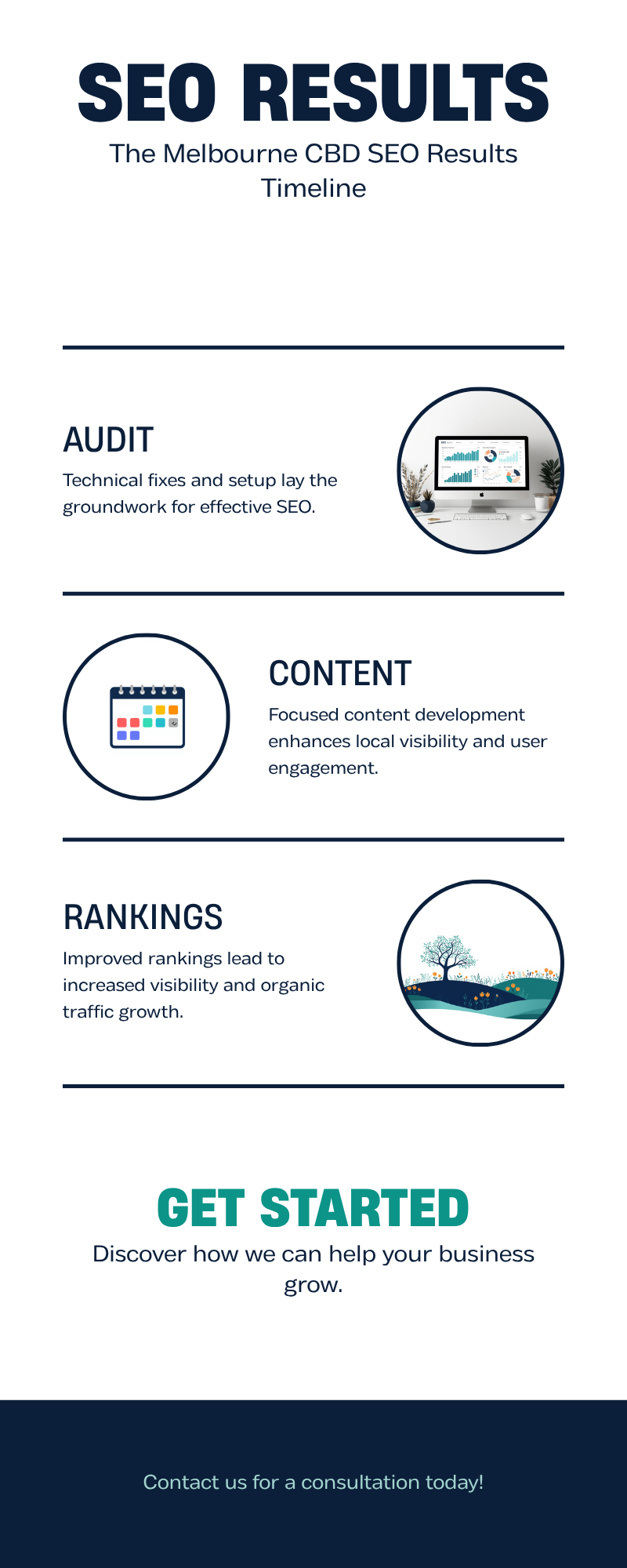
    Three-stage infographic showing the SEO process for Melbourne CBD businesses: audit and foundations, content and structure, and rankings climbing over time

    What actually moves the needle for a CBD listing

    Three things matter more in the CBD than anywhere else in Melbourne: precise Google Business Profile categorisation, review velocity, and page speed on mobile. Office workers search on their phones between meetings, so a slow site loses them before it finishes loading. Google’s own guidance on Business Profiles confirms that category accuracy and completeness are foundational to appearing in the Map Pack, which is where most CBD clicks happen before anyone scrolls down to the organic listings below it.

    Review velocity matters more in the CBD too, because competitor review counts climb faster in a dense market. A CBD dental practice with 40 reviews sitting next to one with 400 is not competing on equal terms, no matter how good the smaller practice’s dentistry actually is. Building a steady, honest flow of new reviews, rather than a one-off push before a launch, is one of the few genuinely compounding assets a CBD business can build, because review count and recency both feed directly into Map Pack ranking and rarely go backwards once earned.

    Local search behaviour (2026) What it means for a CBD business
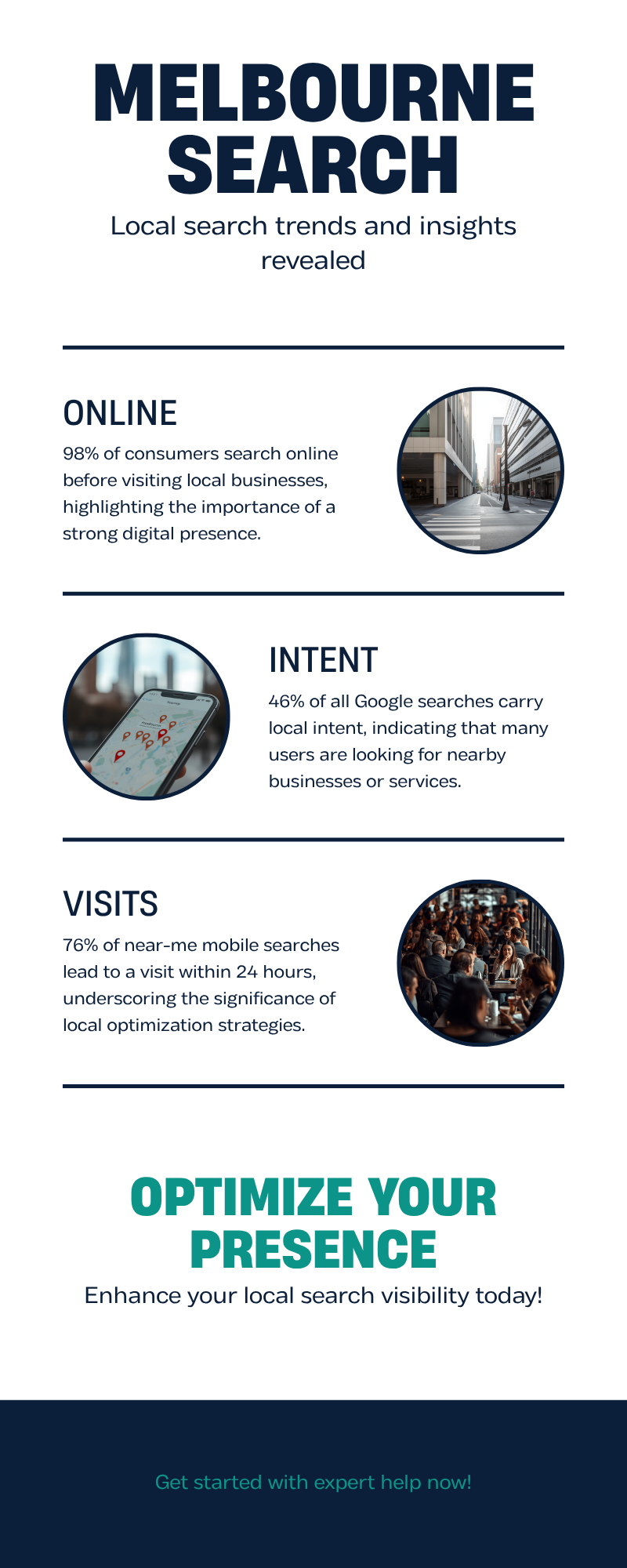
    76% of near-me mobile searches lead to a visit within 24 hours Your Google Business Profile hours and address need to be exact, every single day
    28% of near-me searches lead to a purchase A slow or outdated website loses real, ready-to-buy customers at the last step
    46% of all Google searches carry local intent Suburb and landmark-specific content consistently outperforms generic service pages

    Source: Local Search Statistics 2026, BizIQ

    What SEO costs for a CBD business in 2026

    Most Melbourne CBD businesses spend somewhere between $1,500 and $4,000 a month on professional SEO, depending on how competitive their specific keywords are. A single-location cafe competes with dozens of nearby cafes for relatively low-value searches and typically sits at the lower end of that range. A CBD law firm, accounting practice or medical clinic competing for high-value commercial keywords sits at the higher end, because those keywords are worth more per click and the competition has bigger marketing budgets behind them.

    A realistic CBD engagement usually includes a technical audit and fix list, ongoing Google Business Profile management, two to four pieces of locally specific content a month, and manual, editorial link building rather than bulk-purchased links. Be wary of any quote that ignores the distinction between a suburban trades business and a CBD professional services firm entirely, since a flat-rate package rarely matches CBD-level competition either way. Our own case studies, including a Melbourne CBD law firm that grew organic traffic 412% in eight months and took monthly enquiries from 12 to 89, are on our results page if you want to see what a properly scoped campaign actually delivers over a realistic timeframe rather than a promised one.

    The maths usually works in the business’s favour once rankings stabilise. A CBD professional services firm paying $3,000 a month for SEO only needs one or two new clients from organic search to cover the cost many times over, and unlike paid ads, that traffic doesn’t disappear the moment the budget is paused.

    If your Google Business Profile still looks like it did the week you opened, fixing it is usually a two-week job and the fastest lever available to a CBD business. Talk to our Melbourne team if that sounds like your listing.

    How long it takes, and what goes wrong

    Most CBD clients start seeing ranking movement within 60 to 90 days, with meaningful enquiry growth by months four to six. The businesses that see faster results almost always fixed their Google Business Profile category and opening hours in week one, before any content work even started. The ones that stall usually made one of three mistakes.

    First, they targeted broad terms like “Melbourne accountant” instead of specific, winnable phrases such as “small business accountant Collins Street”, which convert better and rank faster. Second, they let a web developer’s redesign quietly break their page speed without anyone noticing for months, undoing a year of technical SEO work in a single afternoon. Third, they signed a 12-month contract with an agency that never explained what was actually being done month to month, which our own guide to choosing an SEO agency in Melbourne covers in more detail, including the six questions worth asking before you sign anything.

    Infographic showing 2026 Melbourne local search statistics: 98% of consumers search online before visiting a business, 46% of Google searches carry local intent, 76% of near-me mobile searches lead to a visit within 24 hours

    Building content that actually works for a CBD audience

    Generic blog posts rarely rank in a market this competitive. What works is specificity: naming the actual laneway, the actual building, the actual train line people search near. “A law firm near Flinders Street Station” will consistently out-rank “a Melbourne law firm”, because it matches how people actually search when they’re standing in the CBD with a specific, immediate need. This is worked into our SEO content strategy for every CBD client, alongside the technical fixes covered in our process page.

    It also pays to watch what other Melbourne CBD businesses are getting wrong before you copy their approach. Our recent piece on red flags to watch for when hiring an SEO agency covers the same contract and reporting traps that trip up CBD businesses specifically, since they are often the ones sold the most expensive, most generic packages simply because their postcode looks lucrative.

    Quick FAQ

    Do I need a physical CBD address to rank in the CBD? Yes, for Map Pack results a verified Google Business Profile address inside or very near the CBD is required. Service-area businesses without a public storefront can still rank organically without one, just not in the Map Pack itself.

    Is SEO worth it if I already run Google Ads in the CBD? Usually yes, since CBD ad clicks are among the most expensive in Melbourne for competitive terms. Organic rankings reduce your dependence on rising ad costs over time, even if you keep some paid spend running alongside it. See our FAQ for more on how the two work together in practice.

    How much does a technical SEO audit cost as a starting point? Our own audits are free and take about 30 minutes to review with you, covering site speed, mobile usability, Google Business Profile completeness and the biggest quick wins available before you commit to anything ongoing.

    The CBD rewards precision over raw budget. A smaller business with an accurate Google Business Profile, a fast site and specific, local content will consistently outrank a bigger competitor running a generic strategy across a dozen suburbs. Book your free consultation. No lock-in contracts, reply within 24 hours, Melbourne-based team. Get started. For more guides like this one, visit the blog.

  • Red Flags to Watch for When Hiring an SEO Agency in Melbourne (9 Warning Signs)

    A cafe owner in Brunswick signs a $1,800-a-month SEO contract after a cold call promises “guaranteed page one rankings within 30 days”. Four months later, nothing has moved except the invoice. Nearly one in five businesses that hire an SEO agency report a negative experience before finding a provider that actually delivers, according to Clutch.co’s 2026 business guide to SEO services. That is not because SEO does not work. It is because the industry has no licensing requirement and plenty of vocabulary that sounds impressive and means nothing. The warning signs are consistent and easy to spot once you know what to look for. Here are the nine that matter most, grouped into five areas worth checking before you sign anything.

    Promises no honest agency would make

    1. Someone guarantees you will rank number one

    If an agency promises a specific ranking position, especially “guaranteed page one” or “guaranteed number one”, treat it as the clearest warning sign there is. Google’s own guidance for anyone hiring an SEO puts it plainly: no one can guarantee a number one ranking on Google, and businesses should “beware of SEOs that claim to guarantee rankings, allege a special relationship with Google, or advertise a priority submit”. A ranking, meaning where your website appears in a list of search results for a given term, depends on hundreds of factors that shift constantly. When an agency guarantees a position anyway, ask exactly which search term they mean. It is often your own business name, or a term nobody searches for, a hollow win dressed up as proof of work.

    2. They claim a “special relationship” with Google or a paid shortcut

    No agency can pay for better organic placement, submit your site for “priority indexing”, or use a personal contact at Google to move you up the results. Google never accepts payment to include or rank a site in organic search results. A pitch built around insider access is, at best, a misunderstanding of how search works, and at worst, a way to justify a higher fee for nothing.

    5 areas to check before you sign 1 Promises & guarantees 2 Reporting & access 3 Backlinks & link building 4 Contracts & ownership 5 Price & speed Best SEO Agency Melbourne
    Five areas to check before you sign an SEO contract

    Not sure where your site stands? Our free 30-minute audit will tell you honestly, even if you never become a client. Book a free audit.

    Reporting that hides more than it shows

    3. Reports you cannot actually understand

    A trustworthy Melbourne agency sends a report you could explain to your accountant in two minutes. A red-flag agency sends a document full of jargon and metrics that always trend upward, no matter what happened to your enquiries. Watch for reports that lean on vanity numbers, such as “keywords tracked” or an unexplained “visibility score”, while leaving out enquiries, phone calls, and completed sales. We cover exactly what to check for in our plain-English guide to reading an SEO report. In short: if you cannot tell whether last month’s work moved the needle, the report has failed, no matter how polished it looks. Already signed and not sure what you are paying for? Read how to check whether your SEO agency is working.

    4. They won’t give you access to your own accounts

    Google’s guidance for hiring an SEO recommends granting a prospective agency read-only access to Search Console (the free tool that shows how your site performs in Google’s results), not full control, until trust is established. Once you are a paying client, though, you should hold admin-level access to your own Google Business Profile, website and analytics. If an agency resists showing you their working dashboard, or refuses to add you as an owner on accounts set up in your business’s name, you no longer own your own marketing. They do. If an agency has already left and you cannot get into Search Console, see how to regain Search Console access.

    Red flag vs. what a trustworthy agency does
    Red flag What it usually means What a trustworthy agency does instead
    Guarantees a #1 ranking Overpromising to close the sale Gives a realistic range and timeframe after an audit
    Vague, jargon-heavy reports Nothing meaningful happened this month Reports on enquiries, calls and rankings you can verify yourself
    Won’t share login access Holding your data hostage if you leave Sets accounts up in your business’s name from day one
    Backlinks from random, unrelated sites Buying links or using a private blog network Earns links through content, PR and genuine outreach
    12-month lock-in with exit penalties Protecting the agency, not your budget Runs month-to-month and earns renewal every time
    No named point of contact Work is outsourced or junior-run Gives you a direct line to the person doing the work

    Backlinks built the wrong way

    5. Backlinks appear from random, low-quality sites

    Backlinks, meaning links from other websites that point to yours, still influence how Google ranks a site, which is why some agencies cut corners to manufacture them quickly. The most common shortcut is a private blog network: a cluster of low-quality, often unrelated websites built purely to sell links. Google treats this as a link scheme and can penalise your site for taking part, even if you did not know it was happening. Google’s spam policies list buying or selling links that pass ranking credit as a violation, and recovering from a manual penalty for unnatural links typically takes months, sometimes over a year if it overlaps with an algorithmic penalty too.

    6. They dodge a straight answer about how they build links

    Ask any prospective agency exactly how they plan to earn links, and expect a specific answer: content worth referencing, digital PR, partnerships, guest contributions to genuine industry publications. A vague answer, or a mention of “link packages” priced by volume, is your cue to walk away. We covered what genuine link building looks like in our guide to earning backlinks without buying them. Our own Authority Link Building service sticks to outreach-based methods for this reason. A cheap, fast pile of backlinks is a liability with a delayed invoice.

    Inherited a contract full of question marks, or found some backlinks that make you nervous? We will run a free, no-obligation review of your current SEO agency’s work so you know exactly what you are paying for. Ask for a free review.

    Contracts that protect the agency, not you

    7. A 12-month lock-in with no exit path

    Long contracts are not automatically a problem. Real SEO work takes time to show results, and a firm that commits to three or six months is protecting its own ability to deliver. The red flag looks different: a 12-month term with no performance checkpoints, steep exit penalties, and no clarity about what happens to your assets if you leave.

    8. Nobody can tell you who owns what

    Ask directly who retains ownership of your domain, website files, Google Business Profile, and any content written for you. A trustworthy agency builds these in your name from day one, so leaving never means starting again from zero. For the detail on domains, content and Google account access, see our guide on who owns your website after you leave an agency. If you’re thinking of stepping back, read what happens to your SEO when you stop paying. We run every engagement month-to-month for this reason, and set out what a normal engagement looks like on our process page. For the fuller buyer’s checklist, see our guide to choosing an SEO agency in Melbourne.

    What this actually costs, and why cheap is its own red flag

    9. The price is suspiciously low, or the timeline is suspiciously fast

    Legitimate SEO work is not cheap, because it is not automated. According to Clutch.co’s 2026 business guide to SEO services, basic local SEO for a small business typically runs USD $300 to $500 a month, agency-level SEO for a competitive local or national market sits between USD $1,000 and $10,000 a month depending on scope, and the industry’s standard minimum contract term is six months. Melbourne pricing follows the same tiering in Australian dollars: a business paying a few hundred dollars a month for “full SEO” is either being upsold later, or getting a template-based service with almost no hands-on work behind it.

    The flip side of a low price is a promise of speed. Nobody, including agencies with a decade of results behind them, can compress the time Google needs to trust a new page or a fixed technical issue. Expect early movement in the first few months and clearer gains over the following two to three quarters, not overnight. Over 500 Melbourne businesses have worked with our team since 2012, a track record worth asking any agency to demonstrate, not just claim. See some of the outcomes on our results page.

    Typical monthly SEO cost tiers (USD, Clutch.co 2026) $300-$500 Basic / local $1,000-$3,000 Agency / competitive local $3,000-$10,000 National / highly competitive Best SEO Agency Melbourne ยท Source: Clutch.co, 2026
    US benchmark SEO pricing by tier, illustrating why very cheap “full SEO” offers are worth questioning

    Once you have chosen an agency, our guide on how to brief an SEO agency in Melbourne helps the work start on the right foot.

    Frequently asked questions

    Is a 12-month SEO contract normal?

    Longer terms are common because SEO work compounds over months, not weeks. What is not normal is a lock-in with no exit path and no transparency about who owns your assets if you leave. See our FAQ for more on contracts and reporting.

    How much should SEO cost for a small Melbourne business?

    Based on Clutch.co’s 2026 benchmarks, expect a genuine monthly investment rather than a few hundred dollars, with pricing scaling alongside competition and scope.

    Can I leave a bad SEO agency partway through?

    It depends on the contract you signed, which is why reading the exit terms before you sign matters more than the sales pitch that got you there.

    The nine warning signs above share one thing in common: each trades your long-term visibility for someone else’s short-term sale. A guarantee, a locked-in contract, or a suspiciously cheap price should slow you down, not speed you up. Ask blunt questions before you sign, then check the answers against what shows up in Search Console. For more guides like this one, visit our blog.

    Ready to work with a Melbourne team that shows its work? Book your free consultation. No lock-in contracts, a reply within 24 hours, and a local team who will explain exactly what they are doing and why.

  • Google Search Console Explained for Business Owners: A Plain-English Guide

    Google Search Console (GSC) is a free tool from Google that shows you how Google sees your website. Think of it as a direct line to Google itself: it tells you which searches bring people to your site, whether Google can find and display all your pages, and whether anything technical is quietly stopping your website from performing in search results. Unlike Google Analytics, which tracks what visitors do once they land on your site, Search Console tracks what happens before that click โ€” what people typed into Google, whether your page showed up, and whether they clicked on it. To see what those visitors do once they arrive, read our guide on how to find organic traffic in GA4.

    If you’ve already read how to read an SEO report in plain English, you’ll know that most of the numbers in a typical SEO report โ€” rankings, visibility, traffic trends โ€” ultimately come from data that Search Console collects behind the scenes. Learning to read the tool yourself means you don’t have to take anyone’s word for how your website is performing; you can check the source data directly, for free, at any time. To see how your visits are split between channels, read our guide to direct vs organic traffic.

    Setting up Search Console properly takes about fifteen minutes and gives you visibility you cannot get anywhere else, including inside Google Analytics. If you’d rather have someone set it up correctly the first time and walk you through what it means for your specific business, you can book a free consultation and we’ll go through it with you.

    ๐Ÿ“Š The five Google Search Console reports every Melbourne business owner should check regularly.

    An infographic titled “Google Search Console at a Glance” showing a website icon in the centre connected to five reports: Performance, Page Indexing, Core Web Vitals, Mobile Usability and Sitemaps.

    Infographic file: best-seo-agency-melbourne-google-search-console-guide.png (attach when uploading to media library)

    What Google Search Console Actually Covers

    In short, Search Console is split into a handful of reports, each answering a different question about your site: which searches you’re appearing for, whether your pages are indexed, how fast your site feels to visitors, and whether Google has found your full sitemap. The rest of this guide walks through each of those reports in plain English, starting with getting the tool set up correctly in the first place.

    Setting Up and Verifying Your Website

    To get started, go to Google’s Search Console website and sign in using a Google account โ€” ideally one tied to your business rather than a personal account that might leave the company one day. You’ll be asked to add a “property,” which is simply Google’s word for the website you want to monitor.

    You have two options here: a “Domain” property, covering every version of your address (www, non-www, http, https, and all subdomains) in one place, or a “URL prefix” property, covering just one exact web address. For most small and medium businesses, the Domain property is the better choice, since it gives the complete picture without adding multiple properties separately.

    Next comes verification โ€” proving to Google that you genuinely own the website. The most common methods are a DNS record, added through your domain registrar (the company you bought your domain name from); an HTML file uploaded to your website’s files; or, if you already have Google Analytics or Tag Manager installed, instant verification through either of those. Full instructions are in Google’s Search Console verification help centre. If you’re not confident editing DNS records, loop in your web developer, since a wrong edit can occasionally take your email or website offline.

    The Performance Report: Understanding Queries, Clicks and Impressions

    Once your property is verified, the Performance report is where you’ll spend most of your time, and it’s genuinely the most useful part of the whole tool for a business owner. It shows four core numbers for every search term, known as a “query,” that people used to find your site. Impressions are how many times your website appeared somewhere in Google’s results, even if nobody clicked. Clicks are how many of those impressions turned into an actual visit. Average CTR, or click-through rate, is the percentage of impressions that became clicks. Average position is roughly where your page tends to rank for that particular search term. Our guide to average position in Search Console explains exactly how Google works it out.

    This report answers a practical business question: what are people typing into Google before they find me? You can filter by query, page, country and device, and track it over time. Holidays shift these numbers too, as our guide to Melbourne Cup week traffic and what analytics show explains. A Melbourne plumber might discover thousands of impressions for “emergency plumber melbourne” but very few clicks โ€” a sign the page’s title and description aren’t convincing enough, or a competitor is simply outranking them.

    This gap between impressions and clicks matters more than it used to. A February 2026 study by Ahrefs, which analysed 300,000 search queries using aggregated Google Search Console click data, found that when an AI Overview appears above the normal results, the top-ranking organic page now loses 58% of the clicks it would otherwise have received, up sharply from the 34.5% drop the same researchers measured less than a year earlier (Source: Ahrefs, 2026). In practice, impressions alone are becoming a less reliable guide to expected traffic, which makes tracking actual clicks and conversions more important than ever. If your own report shows this pattern, our guide on why organic clicks fell while impressions rose walks through the causes and fixes. For a plain-English breakdown of what each number counts, read Search Console clicks vs impressions explained, and to see what those visitors do next, follow our step-by-step GA4 landing page report guide.

    Page Indexing (Coverage): Is Google Actually Showing Your Pages?

    Before Google can show your page to anyone, it needs to be “indexed” โ€” added to the enormous catalogue of pages Google is willing to display in search results. Google finds new pages by “crawling”: sending automated bots that follow links from page to page and read your content. Not every crawled page gets indexed. Google has a limited amount of attention for each site, sometimes called “crawl budget,” and it prioritises pages it judges useful and unique.

    The Page Indexing report, previously known as the Coverage report, lists every URL Google knows about and sorts them into indexed and not indexed, with a stated reason for each. Common reasons include duplicate content, where another page covers the same information; a canonical URL mismatch, where a canonical URL is the version of a page you’ve told Google is the “real” one when near-identical versions exist; or “crawled, currently not indexed,” a sign the content is too thin. For an online store, this report is essential, since a batch of “not indexed” product pages are effectively invisible in Google no matter how well they’re written. If you’re staring at a list of “not indexed” pages and aren’t sure which reason applies to you, book a free consultation and we’ll work through the report with you.

    Core Web Vitals and Page Experience: Is Your Site Fast Enough?

    Core Web Vitals measure how a real visitor experiences your site loading and responding, using three metrics: how quickly the main content appears on screen, known as Largest Contentful Paint; how quickly the page responds when someone taps or clicks something, known as Interaction to Next Paint; and how much the layout jumps around while everything finishes loading, known as Cumulative Layout Shift. Google gathers this data from real Chrome users visiting your site and folds it into the Core Web Vitals report, using it as one of many signals when deciding how to rank pages.

    Search Console used to house a separate Page Experience report bundling these speed signals with mobile-friendliness and security checks. Google has since retired that report, along with the older Mobile Usability report and Mobile-Friendly Test tool, folding mobile and speed signals into Core Web Vitals and free external tools such as Lighthouse instead (Source: Search Engine Land). The practical takeaway hasn’t changed: a slow, jumpy mobile site still frustrates visitors and works against you in search. If you run a legal practice, our guide to technical SEO for Melbourne law firms shows what to ask an agency about these numbers.

    ๐Ÿ“Š The three Core Web Vitals metrics Google measures on every website, and the scores that count as “good”.

    An infographic titled “Core Web Vitals Thresholds” showing three gauge graphics for Largest Contentful Paint (under 2.5 seconds), Interaction to Next Paint (under 200 milliseconds), and Cumulative Layout Shift (under 0.1).

    Infographic file: best-seo-agency-melbourne-core-web-vitals-thresholds.png (attach when uploading to media library)

    Sitemaps: Helping Google Find Everything You Publish

    A sitemap is simply a list of every page on your site that you want Google to know about โ€” a signpost rather than a guarantee of indexing. Most platforms, including WordPress, Shopify and Wix, generate one automatically, usually at an address ending in sitemap.xml. Submitting it under the Sitemaps section of Search Console helps Google find new or updated pages faster, which matters most for larger catalogues or a recently restructured site.

    Quick Reference: What Each Report Shows and What to Do About It

    Report What It Shows Action to Take
    Performance Queries, clicks, impressions, CTR and average position Find pages with high impressions but low clicks and rewrite the title and meta description
    Page Indexing (Coverage) Which pages are indexed, excluded, or affected by errors Investigate “not indexed” pages after every new publish; fix duplicate or thin content
    Core Web Vitals Real-user loading speed, responsiveness and layout stability Prioritise fixing “Poor” URLs first, especially on mobile
    Sitemaps Whether your submitted sitemap has been read, and how many URLs were found versus indexed Resubmit after major site changes; investigate large gaps between submitted and indexed counts
    Links Which sites and pages link to yours, internally and externally Spot missing internal links to important category or service pages

    Turning Search Console Data into Business Decisions

    None of this data matters unless it changes what you do next, and that starts with knowing which visits become enquiries. If your enquiries fall while traffic holds steady, read why organic enquiries drop but traffic doesn’t. Our guide to tracking form submissions in GA4 without a developer shows how to set that up, and our guide on how to set up key events in GA4 for enquiries covers calls, emails and bookings too. If most of your leads ring rather than fill in a form, see how to track phone clicks on your website. To judge what those visitors do next, read our guide to engagement rate in GA4 and what replaced bounce rate. Check the Performance report monthly (our monthly SEO report template shows how to log the numbers) and look specifically for queries sitting in positions eleven to twenty, since a small content improvement can push these onto page one, where clicks jump sharply. Check Page Indexing after publishing anything new, and if you run an online store, cross-reference indexed product pages against your actual catalogue. Treat Core Web Vitals as ongoing maintenance rather than a one-off fix, since new plugins and page builder blocks can quietly slow a site back down within months. To see which visits come from tools like ChatGPT, read our guide on how to track AI search traffic in GA4. If you use a Google Business Profile, you can also add UTM tags to your Google Business Profile link so GA4 shows the visits it sends.

    If any of these reports raise more questions than they answer, that’s completely normal. Search Console gives you the “what,” but working out the “why” and the right fix is where local SEO experience genuinely helps. You can browse our SEO services for Melbourne businesses, check our frequently asked questions for common Search Console and SEO queries, or simply book a free consultation and we’ll go through your own Search Console data with you, line by line.