Author: admin

  • Keyword Research 101 for Small Melbourne Businesses

    Type a product or service into Google and half the time an AI-written answer appears above every blue link, sometimes above the ads. If your Melbourne business is guessing at keywords rather than researching them properly, you are competing for search results that increasingly never get clicked at all — and the businesses that still win traffic are the ones targeting the specific phrases an AI Overview can’t fully answer. Keyword research used to mean picking a handful of high-volume terms and hoping. In 2026 it means something closer to reverse-engineering exactly what a customer types before they are ready to buy, and building pages around that instead. Here is a plain-English walkthrough of how proper keyword research works, what it costs to do properly, and where small Melbourne businesses get it wrong.

    Not sure which keywords are actually worth chasing for your business? Our free $1,200 SEO audit includes a full keyword gap review, even if you never become a client.

    Why keyword research matters more now that Google answers questions itself

    Search behaviour has shifted in a way that changes what keyword research is for. Independent tracking reported by Search Engine Land found that 68 per cent of U.S. Google searches in early 2026 resolved without a single click to any website, and that share climbs sharply once an AI Overview appears on the results page (Search Engine Land, 2026). That does not mean SEO stopped working. It means broad, generic keywords — the kind Google can now answer itself in two sentences — are worth less than they used to be, while specific, intent-rich phrases that need a real business to answer them are worth more.

    This is exactly why keyword research is a foundation step, not an afterthought. Google’s own guidance on building sites people and search engines can understand still starts with knowing what your audience is actually searching for and matching content to that intent (Google Search Central). Skip that step and every other part of an SEO campaign, from page titles to link building, is aimed at the wrong target.

    Zero-click search rates by query type in 2026 Bar chart showing informational queries at 74 percent zero-click and transactional queries at 31 percent zero-click, illustrating why buyer-intent keywords still drive website visits. Zero-Click Rate by Query Type (2026) Informational queries — 74% zero-click Transactional queries — 31% zero-click Buyer-intent, transactional keywords still send far more traffic Source: Search Engine Land, 2026 zero-click search study
    Infographic: zero-click search rates by query type, showing why transactional keyword targeting still works. Reference filename: zero-click-rate-by-query-type-2026.svg

    The keyword research process a proper Melbourne agency actually runs

    Real keyword research is not a five-minute look at a free tool’s suggestion box. It is a structured process, and it is the first stage of the SEO strategy work we run for every client, regardless of industry. It starts broad, with seed terms drawn from your services, your suburb and the language your actual customers use on the phone — not the language your industry uses internally. From there it moves into intent mapping, sorting terms into what someone wants to know, compare, or buy, because a page built for a comparison search converts very differently to one built for a buying-ready search. Competitor gap analysis follows, finding terms your Melbourne competitors already rank for that you don’t, which is usually the fastest source of new page ideas. The final step is prioritisation: matching each keyword to a specific page on your site, not spreading five keywords thinly across one page and hoping.

    Short-tail vs long-tail keywords for a small Melbourne business
    Factor Short-tail (e.g. “accountant”) Long-tail (e.g. “small business tax accountant Richmond”)
    Monthly search volume High, often thousands Low, often under 50
    Competition Very high, national brands compete Low, mostly local competitors
    Time to rank 12 months or longer Often 2–4 months
    Realistic for a small business? Rarely, without a large budget Yes — this is where small Melbourne businesses win

    If your current keyword list is a handful of generic, high-competition terms, claim your free audit and we’ll show you the long-tail opportunities your competitors are missing.

    A simple four-step process you can start today

    You do not need an agency to begin. Step one, list every question a customer has asked you on the phone or by email in the last month — that list is a better keyword source than any tool. Step two, check what your top three local competitors already rank for, which any keyword tool with a competitor lookup will show you for free or at low cost. Step three, sort your list into informational (someone researching), comparison (someone shortlisting) and transactional (someone ready to buy), because your homepage and service pages should be built around the transactional terms, and your blog around the informational ones. Step four, pick one keyword per page — not five — and write that page specifically to answer it.

    A worked example makes this concrete. A Melbourne plumber ranking for the generic term “plumber” is competing against every plumbing business, directory and comparison site in the state, most with far bigger budgets. The same business targeting “emergency hot water repair Brunswick” is competing against a handful of nearby plumbers, for a search from someone who has a burst hot water system right now and is ready to book. The second keyword has a fraction of the search volume, but it converts at a completely different rate, and it is realistically achievable within a few months rather than a few years. That gap between volume and value is the entire reason intent-first keyword research matters more than chasing the biggest number in a keyword tool.

    What this costs, how long it takes, and what goes wrong

    A proper keyword research engagement for a small Melbourne business is usually a fixed-fee project at the start of an SEO campaign, followed by ongoing refinement as pages start ranking and new opportunities appear. Expect the initial research and mapping phase to take one to two weeks, with content built against that research showing early movement in long-tail terms within two to four months, well before the harder, high-competition terms move at all — a pattern you can see across the case studies on our results page.

    The most common mistake is chasing search volume instead of intent, which is how businesses end up ranking for a keyword that gets plenty of clicks and zero enquiries. The second is targeting one broad keyword per website instead of one keyword per page, which spreads relevance so thin that Google struggles to understand what any single page is actually about. The third is never revisiting the research after the first campaign — search behaviour and competitor content both move constantly, and a keyword list from two years ago is quietly out of date. Free keyword tools also tend to overstate search volume, so treat any number as a directional signal rather than an exact figure, and weight decisions towards intent and competition rather than the volume column alone.

    For a deeper look at what this research turns into once it reaches a page, our guide on writing title tags and meta descriptions that actually get clicked picks up exactly where keyword research leaves off, and our practical guide to technical SEO for Melbourne businesses covers the technical foundations that let well-researched pages actually get found and indexed.

    Frequently asked questions

    How many keywords should a small business target? Fewer than you think. A focused list of 20–40 well-researched, intent-matched keywords mapped to specific pages outperforms a scattered list of 200 generic terms almost every time.

    Do I need a paid tool, or will free ones work? Free tools are a reasonable starting point for volume and competitor checks, but they tend to overstate search volume and under-report genuine intent, which is why a proper campaign pairs them with the manual research described above. See our FAQ for how we handle tool selection for different budgets.

    Will AI Overviews make keyword research pointless? No — it makes it more important. Broad informational searches are increasingly answered on the results page itself, but transactional and locally specific searches still send real traffic, which is precisely where good keyword research points a small business to focus.

    How often should I redo my keyword research? Revisit it at least twice a year, and sooner if a competitor launches new pages or your services change. Search behaviour shifts, new competitors enter the Melbourne market constantly, and a keyword list that was accurate twelve months ago can quietly steer content in the wrong direction without anyone noticing until traffic stalls.

    Good keyword research is the difference between a website that gets visitors and one that gets customers, and it is the one part of SEO a small Melbourne business can genuinely start doing this week with nothing more than a spreadsheet and a list of the questions your customers already ask you. If you would rather have a specialist do the heavy lifting and map it to a full content plan, claim your free $1,200 audit and we will hand you a prioritised keyword list either way, no obligation. Read more Melbourne SEO guides like this one on our blog.


  • How to Write Title Tags and Meta Descriptions That Rank (and Actually Get Clicked)

    Open Google Search Console, sort your pages by clicks, and you will usually find at least one page ranking on page one that almost nobody clicks on. Nine times out of ten, the problem sits in two small fields: the title tag and the meta description. They are the first thing a Melbourne customer reads about your business before they have seen a single word of your actual site, and most business owners either ignore them or let a plugin generate something generic. This guide covers what title tags and meta descriptions actually do, how Google treats them in 2026, and the specific changes that turn rankings you already have into clicks you are currently missing.

    Not sure how your pages actually look in Google right now? Our free audit will show you, even if you never become a client. Get your free SEO audit

    What a title tag and meta description actually do

    The title tag is the blue, clickable headline in a Google search result. The meta description is the grey summary underneath it. Neither one directly boosts your ranking position the way, say, a fast-loading page or solid technical SEO foundation does. What they do instead is decide whether someone ranked at position four clicks through to your Melbourne business, or scrolls straight past to a competitor at position six with a clearer, more compelling result.

    Position matters enormously here. A 2025 Backlinko study of Google results found the number one organic result earns an average click-through rate of 27.6 percent, while position ten manages just 2.4 percent. A page with a weak title and description sitting at position three can easily be out-clicked by a page at position five with a title that actually answers the searcher’s question.

    Infographic: what makes up a Google search result

    The three parts of a listing, and what each one is actually for.

    Title tag
    The blue headline. Written to be clicked, not just read.
    URL
    Shown in green. A clean, readable slug builds trust.
    Meta description
    The grey summary. Your one chance to sell the click.

    Source: Google Search Central appearance documentation, 2026.

    Writing title tags that get chosen, not rewritten

    Google does not always use the title you write. According to Google’s own Search Central documentation, the title shown in results can be generated from several sources, including your title tag, your headings, or other text on the page, whichever Google judges best matches the search. Recent analysis puts Google’s title rewrite rate at 76 percent, and pages are 57 percent more likely to have their title rewritten when it runs too long.

    The practical fix is straightforward: keep titles between 51 and 60 characters, since that range carries the lowest rewrite rate across large-scale studies. Put your primary keyword near the front, name Melbourne or the relevant suburb where it is genuinely relevant, and make a specific promise rather than a vague one. “SEO Services Melbourne” tells Google almost nothing useful. “Melbourne SEO Pricing: What It Actually Costs in 2026” gives both Google and the searcher a reason to prefer your result.

    Weak title Stronger title Why it works better
    Home | Best Melbourne Agency Melbourne SEO Agency | Free 30-Min Audit Names the service and the offer, not just the brand
    Blog Post How to Fix Crawl Errors Before They Hurt Rankings States the exact problem being solved
    Services Technical SEO Audit Melbourne | Fixed-Price Reports Specific service, location and a concrete detail

    If Search Console shows Google is rewriting most of your titles, talk to our Melbourne team — a title and meta description clean-up across a site is usually a one-to-two week job.

    Why local pages need local signals in the title

    A Melbourne business competing for a national or generic keyword is fighting an uphill battle against bigger budgets and bigger brands. Titles that work harder locally tend to name a suburb, a service area, or a specific outcome rather than repeating the same generic phrase every competitor is also using. “Plumber Melbourne” sits in thousands of titles across the city. “Emergency Plumber Richmond, Same-Day Response” narrows the field considerably and matches far more closely to what someone typing that exact search is actually looking for.

    This matters more for multi-location or multi-service Melbourne businesses than for a single-location shopfront. Each service area or suburb page needs its own distinct title, not a template with the suburb swapped in and nothing else changed, since Google can treat near-identical titles across many pages as a weak signal about which page actually deserves to rank for a given local search. The same principle applies to the meta description underneath it: specific, not templated.

    Meta descriptions: writing the one Google actually keeps

    Meta descriptions have a harder job. Google rewrites them even more often than titles: an Ahrefs study of roughly 192,000 pages found Google rewrote the meta description 62.78 percent of the time, and a separate 2026 analysis reported by Search Engine Journal put the figure above 70 percent. Google does this when it finds a passage on the page that answers the searcher’s specific query more precisely than your static description does.

    That is not a reason to skip writing one. Per Google’s own snippet guidance, a well-written description still gets used a meaningful share of the time, and when it does, it is the only part of the listing you fully control. Keep it under 160 characters, include the primary keyword naturally, and write it like ad copy: a specific benefit, not a restatement of the title. If your business already has structured data in place, it is worth reading our explainer on schema markup for Melbourne businesses alongside this guide, since schema and snippet text work together to shape what actually appears in results.

    Infographic: how often Google rewrites your tags

    Share of pages where Google replaces the title or meta description you wrote.

    Title tags rewritten~76%
    Meta descriptions rewritten63-71%

    Source: Ahrefs meta description study 2026; Search Engine Journal rewrite rate analysis 2026.

    What this costs, how long it takes, and what goes wrong

    Rewriting titles and meta descriptions across an existing Melbourne business website is one of the cheapest technical SEO jobs there is, usually a few hours of work for a site under 50 pages, since no code changes or redesigns are involved. Expect early click-through improvements within two to four weeks once Google recrawls the updated pages, though ranking positions themselves rarely move from this change alone. For the full picture on what else affects your technical foundation, our practical guide to technical SEO for Melbourne businesses covers the areas that work alongside title and description fixes.

    The most common mistake is duplication: the same title tag copied across dozens of product or service pages, which gives Google nothing to differentiate one page from another and often triggers exactly the kind of rewriting described above. The second is stuffing a title with every keyword the business wants to rank for, which reads as spam to both searchers and Google. The third is leaving the default text a website builder or plugin generates, which is almost always generic enough that Google discards it. Every one of these is a same-day fix once someone actually goes through the page list, but it does require someone to actually sit down with a full export of every page on the site, since spreadsheet audits catch duplication far more reliably than clicking through pages one at a time.

    Our own case studies show the flow-on effect of getting the small technical details right: one Melbourne CBD law firm moved from page three to position one for 23 commercial keywords over eight months, and title and description work across their site was one of several contributing fixes alongside the bigger technical and content changes.

    Common questions about title tags and meta descriptions

    Does a longer title ever help? Rarely. Titles beyond 60 characters get truncated or rewritten more often, so the extra length is usually wasted. See our FAQ for more on how Google displays search results.

    Should every page have a unique meta description? Yes. Duplicate descriptions across pages waste the opportunity and can make it harder for Google to understand which page best matches a given search.

    Can I stop Google rewriting my tags entirely? No, and that is by design. Google reserves the right to show searchers whatever text it judges most useful, which is why writing a genuinely strong, specific tag matters more than trying to force compliance.

    Title tags and meta descriptions will not fix a Melbourne website with deeper technical problems, but they are one of the fastest ways to get more value out of rankings you already have. A specific, well-written pair on every important page is a few hours of work with a measurable payoff in Search Console. Get your free SEO audit — no lock-in contracts, a response within 24 hours, and a Melbourne-based team who will show you exactly which pages need attention first. For more guides like this, visit our blog.

  • Duplicate Content Issues and How to Resolve Them: A Plain-English Guide for Melbourne Websites

    A Melbourne cafe owner once asked us why their “coffee Richmond” and “coffee shop Richmond” pages were both stuck on page two, even though the business ranked well before a website redesign. The answer was duplicate content: two pages saying almost the same thing, splitting the ranking power that should have gone to one.

    Duplicate content is one of the quieter technical SEO problems, because nothing looks broken. The site loads, the pages are all there, and there is no red error message anywhere. Google simply has to decide which version to trust, and it often gets that decision wrong. This guide explains what duplicate content actually is, why it costs Melbourne businesses rankings, and exactly how to find and fix it, without touching design or rewriting a page that is already doing its job.

    What actually counts as duplicate content

    Duplicate content is identical or highly similar content that appears at more than one web address. It splits into two types: internal duplicate content, where two pages on your own site say close to the same thing, and external duplicate content, where your content (or someone else’s) appears on more than one domain. For a page to genuinely count as a duplicate, it needs noticeable overlap in wording and structure, little original information, and no real added value compared with the other version.

    Google has been clear that there is no blanket “duplicate content penalty” for accidental duplication. What happens instead is more damaging in a quiet way: Google picks one version to show in search results and mostly ignores the rest, and it is not always the version you would have chosen.

    This is the exact ground our technical SEO service covers before any content work begins. There is little point writing new pages for a Melbourne business if three old ones are quietly competing with each other in the background; the fix order matters, and duplication should usually be resolved first.

    Infographic · duplicate-content-causes-melbourne-websites

    Where duplicate content usually comes from

    01
    URL parameters (tracking, sorting, filters)

    02
    HTTP vs HTTPS, www vs non-www

    03
    Scraped or syndicated content

    04
    Pagination and near-identical category pages

    Alt text: Four common causes of duplicate content on business websites — URL parameters, HTTP/HTTPS and www variations, scraped or syndicated content, and pagination or near-duplicate category pages.

    Why duplicate content quietly costs Melbourne businesses rankings

    Two specific problems make duplicate content worse than it looks. The first is diluted backlink power: if two near-identical pages each pick up links from different websites, the ranking value is split between them instead of concentrated on one page that could genuinely compete. The second is wasted crawl budget, the limited time Google spends crawling a site; every hour it spends re-crawling near-identical pages is an hour it is not spending finding and indexing new or updated ones. On a larger Melbourne business site with hundreds of pages, this adds up.

    Ahrefs’ 2026 Site Audit study of live websites found 95.2% have some form of 3XX redirect issue and 88% have unresolved HTTP-to-HTTPS redirect problems, both classic causes of the exact domain-variation duplication described above. Most business owners have no idea their site has this until someone runs an audit.

    Not sure if this is happening on your own site? Claim your free 40-point SEO audit, worth $1,200, and we will show you exactly where duplication is splitting your rankings, no obligation.

    How to find and fix duplicate content

    Each cause of duplicate content has a specific, well-established fix. None of them require rebuilding the site.

    Cause How to fix it Best used when
    HTTP/HTTPS or www/non-www duplicates 301 redirect every non-preferred version to the one canonical version You want to permanently remove a duplicate and consolidate its ranking value
    URL parameters (tracking, filters, sorting) Canonical tag pointing every parameterised URL back to the clean version Both versions need to stay live for users, but only one should be indexed
    Pagination (page 2, page 3 of a listing) Self-referencing canonical tag on each page in the series Each page is genuinely a different part of a series, not a true duplicate
    Content scraped or syndicated elsewhere Ask the publisher to add a noindex tag, or request removal directly Your original content is being outranked by a copy on another domain

    Infographic · redirect-issues-melbourne-websites-2026

    How common these duplicate content triggers actually are

    Sites with 3XX redirect issues
    95%

    Sites with HTTP→HTTPS redirect issues
    88%

    Similarity threshold Semrush flags as duplicate
    85%

    Alt text: Bar chart showing that 95% of audited websites have 3XX redirect issues, 88% have HTTP to HTTPS redirect issues, and Semrush flags pages as duplicate content once they are 85% textually similar. Sources: Ahrefs 2026 Site Audit study and Semrush.

    Most Melbourne business owners find this table more useful once they have actually seen where their own site stands. Get your free audit and we will map every duplicate content issue against this exact table before recommending anything.

    What this costs, how long it takes, and what goes wrong

    Fixing duplicate content is one of the cheaper technical SEO jobs, because the fixes are mostly configuration rather than new content. A site with a handful of redirect and canonical issues is usually resolved in a few hours of technical work. A larger e-commerce site with parameter-driven duplication across thousands of product pages takes longer, but the underlying fix, correct canonical tags applied at the template level, is still a one-off setup rather than an ongoing cost. As a rough guide, a straightforward clean-up for a small business site runs to a few hours of technical work, while a full audit and fix across a large catalogue site is a multi-day project, still a fraction of what most Melbourne businesses spend on paid search in a single month chasing the same rankings.

    Ranking recovery is not instant, because Google needs to re-crawl and re-evaluate the affected pages. Most Melbourne sites see search traffic stabilise within four to eight weeks of the fix going live, based on the patterns we see across the client results we track. Our audit and strategy process includes a full crawl to catch this before it becomes a bigger problem.

    Once the technical side is fixed, the mistakes worth avoiding are mostly about follow-through. The most common one is using a 302 (temporary) redirect instead of a 301 (permanent) redirect when consolidating duplicate pages. A 302 tells Google the move might not be permanent, so it keeps both versions in play rather than fully transferring ranking value to the new one. The second mistake is applying a canonical tag but forgetting to also fix the internal links, so the site keeps linking to the non-canonical version, sending mixed signals. The third, common on Melbourne e-commerce sites, is treating every colour or size variation of a product as its own full page instead of using a single page with selectable options, which multiplies near-identical content across hundreds of URLs without anyone noticing until traffic plateaus. For a wider look at the technical issues that sit alongside duplicate content, our practical guide to technical SEO for Melbourne businesses covers the full picture.

    Common questions

    Will Google penalise my site for duplicate content?
    Not with a manual penalty, in almost all cases. The real cost is Google choosing which version to show and ignoring the rest, which usually means lower rankings than a properly consolidated page would achieve.

    Do I need to remove duplicate pages entirely?
    Rarely. A 301 redirect or canonical tag usually solves it without deleting anything users still need, such as a printer-friendly or filtered version of a page.

    How do I actually find duplicate content on my own site?
    Google Search Console’s indexing report is a free starting point. A proper technical audit, like the one covered in our FAQ, goes further and checks parameters, redirects and near-identical pages site-wide.

    Can two pages targeting slightly different keywords still count as duplicates?
    Yes, if the wording and structure are close enough. Google judges similarity, not intent, so two pages built around different keywords but written almost identically can still cannibalise each other.

    Getting duplicate content off your list of problems

    Duplicate content rarely announces itself, which is exactly why it lingers on Melbourne business websites for years. The fixes, redirects, canonical tags, and the occasional removal request, are well understood and quick to apply once the duplication is actually mapped out. If schema markup is your next question, our explainer on structured data for Melbourne businesses covers the next technical layer worth getting right.

    Claim your free 40-point SEO audit, worth $1,200, with no obligation and a response within 24 hours from our Melbourne-based team. Get your free audit, or browse more guides on the Best SEO Agency Melbourne blog.

  • How to Run a Basic Technical SEO Audit Yourself: A 2026 Checklist for Melbourne Business Owners

    If your website traffic has flatlined and you’re not sure why, the fastest way to find out costs nothing but an hour of your time. A technical SEO audit sounds like something only a specialist can do, but the basics, the checks that catch 80% of the problems we see on Melbourne business sites, are things any owner can run themselves with a couple of free tools. This guide walks through exactly what to check, what the results mean in plain English, and when the problem is big enough that it’s worth calling in help.

    What a basic technical SEO audit actually checks

    Technical SEO is not about tricking Google. It’s about removing the obstacles that stop Google from finding, understanding and ranking pages that are otherwise perfectly good. Google measures site experience using three Core Web Vitals: Largest Contentful Paint (how fast your main content appears, ideally under 2.5 seconds), Interaction to Next Paint (how quickly your site responds when someone taps a button, ideally under 200 milliseconds), and Cumulative Layout Shift (how much your page jumps around while loading, ideally under 0.1) (Google Search Central). Only 54.6% of websites currently pass all three thresholds, and Interaction to Next Paint is the most common failure point in 2026, with roughly 43% of sites missing that target (Searchlab Technical SEO Statistics 2026). If your site is one of them, visitors are quietly leaving before they ever read your enquiry form.

    Not sure where to start? Our free 30-minute audit will tell you exactly what’s holding your site back, even if you never become a client. Claim your free audit.

    The checklist: five things to check today

    Run these five checks in order. Each takes a few minutes with free tools (Google’s PageSpeed Insights and Search Console are enough for all five).

    Check Tool What a problem looks like
    1. Page speed PageSpeed Insights Score under 50 on mobile, or LCP over 2.5 seconds
    2. Mobile usability Search Console > Core Web Vitals report Pages marked “Poor” or “Needs improvement”
    3. Indexing Search Console > Pages report Important pages listed under “Not indexed”
    4. Broken links Search Console > Pages, or a free crawler 404 errors on pages that used to work
    5. Duplicate or thin content Site search (site:yourdomain.com.au) Near-identical pages competing for the same search term
    A DIY technical SEO audit in one afternoon Four steps: run PageSpeed Insights, check Search Console Core Web Vitals, review the Pages report for indexing and 404s, scan for duplicate content, then prioritise fixes. Your DIY technical SEO audit, step by step 1 15 min PageSpeed Insights scan 2 15 min Core Web Vitals in Search Console 3 20 min Indexing & broken link check 4 10 min Prioritise what to fix first bestseoagencymelbourne.com
    Infographic: a basic technical SEO audit takes about an hour, split across four steps.

    What it costs, how long it takes, and where DIY audits go wrong

    Running the checklist above costs nothing but time, roughly an hour for a small business site. Fixing what you find is where cost enters the picture: simple issues like compressing images or fixing broken links might take a developer an hour or two ($150–$400), while deeper problems like a slow hosting platform or a site built on an outdated theme can run into the thousands and take four to six weeks to resolve properly. Page weight has become a bigger part of the problem every year: the average web page is now 2.3MB, 18% heavier than it was in 2026’s predecessor year, and images alone account for almost half of that (Searchlab, 2026). Slow pages don’t just rank worse, they cost you customers directly: in a widely cited Google/SOASTA study from 2017, 53% of mobile visitors abandoned a page that took longer than three seconds to load, and mobile expectations have only gotten less patient since.

    If your Core Web Vitals report looks like the “before” example above, red across the board, fixing the worst offenders is usually a two-week job. Talk to our Melbourne team about what that would involve for your site.

    The mistake we see most often is business owners fixing the symptom instead of the cause, compressing one slow image instead of asking why every page loads a 4,000-pixel-wide hero photo. The second most common mistake is ignoring the Search Console “Not indexed” report entirely, which often hides pages that were accidentally excluded from Google months ago and have been invisible ever since.

    Why technical SEO problems cost you customers Three statistics: 54.6 percent of sites pass Core Web Vitals, 43 percent fail Interaction to Next Paint, 53 percent of mobile visitors abandon a slow-loading page. Why technical problems cost you customers 54.6% of sites pass all three Core Web Vitals in 2026 43% fail the responsiveness (INP) threshold 53% of mobile visitors leave a page slower than 3 seconds Sources: Searchlab Technical SEO Statistics 2026, Google/SOASTA Research 2017 · bestseoagencymelbourne.com
    Infographic: the pass rates and abandonment data behind why technical SEO issues matter.

    When to bring in a specialist

    A basic audit is well within reach for any Melbourne business owner. Where DIY tends to run out of road is diagnosis at scale, working out why 40 pages suddenly dropped out of the index, untangling a crawl budget problem on a large site, or safely implementing schema markup without breaking your existing search listing. We’ve covered the fuller technical picture in our practical guide to technical SEO for Melbourne businesses, and if the audit above turns up 404 errors specifically, our guide to fixing crawl errors walks through exactly how to resolve them. You can also see real examples of what fixing these issues has achieved for other Melbourne businesses on our results page.

    Frequently asked questions

    How often should I run this checklist?
    Once a quarter is enough for most small business sites, or immediately after any major website redesign or migration.

    Can a slow website really cost me customers, not just rankings?
    Yes. Speed affects both. Google ranks slow sites lower, and separately, visitors abandon slow sites before they even see your offer, so the cost compounds.

    My developer says the site is fine. Should I trust the audit or them?
    Run the checklist yourself first. Search Console and PageSpeed Insights use the same real-world data Google uses to rank your site, so they’re a more reliable second opinion than a developer’s local testing environment.

    An hour with these five checks will tell you more about why your Melbourne website isn’t converting than most guesswork ever will. If the results are more than you want to tackle alone, book your free audit. No lock-in contracts, a Melbourne-based team, response within 24 hours. Browse more guides like this on our SEO blog.

  • HTTPS and Website Security: Do They Really Affect SEO?

    From October 2026, Google Chrome will start warning visitors before they open any website that isn’t running on HTTPS — the padlocked, encrypted version of a web address. If your Melbourne business website is still sitting on plain HTTP, or has HTTPS installed but not properly enforced, that change is about to matter a lot more than a small ranking tweak. Here’s what HTTPS actually does for SEO, what’s changing in 2026, and how to check whether your site is genuinely secure or just appears to be.

    Does HTTPS actually affect your Google rankings?

    Yes, but modestly. Google confirmed HTTPS as a ranking signal back in 2014, and it remains one today — but it has always been what Google itself describes as closer to a tie-breaker than a major ranking driver. If two pages are otherwise similar in quality and relevance, the secure one gets a slight edge. On its own, switching to HTTPS won’t move a page from position 20 to position 3. So if HTTPS is only a “lightweight” ranking factor, why does it deserve a full article? Because the ranking impact was never really the main story — the trust and conversion impact is, and that’s about to become unavoidable.

    It’s also worth being clear about what HTTPS does not do. It won’t fix thin content, slow load times or a confusing site structure, and it won’t outrank a genuinely more relevant competitor page. Think of it as a baseline requirement rather than a growth lever — something every page on a professional Melbourne business website should simply have, in the same way a shopfront should have a working front door. The businesses that get caught out are rarely the ones who never heard of HTTPS; they’re the ones who installed it years ago, assumed the job was done, and never checked it again as their site grew new pages, plugins and subdomains.

    Why it matters far more in 2026 than the ranking boost suggests

    Google announced on its official Security Blog that Chrome is moving to “HTTPS by default” in two stages. From April 2026, Chrome 147 started warning users enrolled in Enhanced Safe Browsing — a group of more than a billion people — before they load an insecure HTTP page. From October 2026, Chrome 154 extends that warning to everyone, by default, worldwide.

    Date Chrome version Who sees the warning
    April 2026 Chrome 147 Enhanced Safe Browsing users (1 billion+ people)
    October 2026 Chrome 154 All Chrome users globally, by default

    In practice, this means any Melbourne business still running an HTTP page — even a single old landing page that never got migrated — will soon show visitors an active warning before the page even loads, not just a missing padlock icon they might not notice. Full detail is available directly from the Google Security Blog’s announcement on HTTPS by default.

    What happens when a visitor sees “Not Secure”

    This is where the real cost sits. Once Chrome flags a page as “Not Secure,” a large share of visitors simply leave — around 64% close the page immediately rather than proceed. For a Melbourne business relying on its website for enquiries, quote requests or online sales, that’s not a ranking problem, it’s a lost-customer problem, and it happens before your content, your offer or your reviews get a chance to do their job.

    Secure versus insecure address bar comparison Side-by-side comparison of a secure HTTPS address bar showing a padlock icon and trusted appearance, next to an insecure HTTP address bar showing Chrome’s Not Secure warning, illustrating the visitor trust gap between the two. What Your Visitors See 🔒 https://yourbusiness.com.au Secure — visitor stays ⚠ Not Secure — yourbusiness.com.au Warning shown — 64% leave Best SEO Agency Melbourne
    Figure 1: The gap between a secure and an insecure address bar is about to become an active browser warning, not a subtle icon.

    Not sure if your whole site is properly secured? Get your free SEO audit worth $1,200 and we’ll check HTTPS enforcement along with everything else.

    Common mistakes that undermine HTTPS even when you have a certificate

    Plenty of Melbourne business sites technically “have HTTPS” and are still exposed to the coming changes because the certificate isn’t doing its full job. The most common issues we see are:

    • No sitewide redirect — the HTTP version of the site still loads instead of automatically forwarding to HTTPS.
    • Mixed content — the page itself is secure, but it loads images, scripts or fonts from insecure HTTP sources, which can still trigger warnings.
    • Missing HSTS — a setting that tells browsers to always use the secure version of your site, even if someone types the address without “https://”.
    • Forgotten subdomains — a blog, booking page or staging subdomain that never got its own certificate.
    • Expired certificates — free certificates typically renew automatically, but manually issued ones can lapse unnoticed.

    The Australian Government’s small business cyber security guide lists a properly enforced HTTPS setup — not just an issued certificate — as one of the first controls worth getting right, alongside strong passwords and regular updates.

    Most of these issues are invisible to a business owner clicking around their own site, because a browser that’s already loaded a page once often caches enough of it to hide the warning on repeat visits. The people who see the problem clearly are new visitors, which for a Melbourne business chasing new enquiries is exactly the audience you can least afford to lose.

    What it costs and how long it takes to fix in 2026

    The good news is that fixing this is usually cheap and fast. Most Australian hosting providers now bundle a free SSL certificate through Let’s Encrypt, so getting a certificate issued rarely costs anything extra. The work — and where the real cost sits — is in configuration: forcing the redirect, fixing mixed-content warnings, enabling HSTS and checking every subdomain. For a typical small business WordPress site, that’s usually a half-day to one-day job for a developer, and it’s exactly the kind of item a proper technical SEO audit should catch before Chrome’s October 2026 rollout does it for you, publicly, in front of your visitors. Larger sites with multiple subdomains, older custom-built pages or a mix of hosting providers from different eras of the business can take longer simply because there are more places for a certificate to have been missed, rather than because the fix itself is complicated.

    HTTPS health check steps Four-step checklist infographic for an HTTPS health check: confirm certificate validity, confirm sitewide redirect, check for mixed content warnings, and confirm HSTS is enabled. A 4-Step HTTPS Health Check 1 Certificate is valid and not expiring soon 2 HTTP automatically redirects to HTTPS sitewide 3 No mixed-content warnings in browser console 4 HSTS enabled so browsers never fall back to HTTP Best SEO Agency Melbourne
    Figure 2: Four checks that catch most of the HTTPS problems we find on Melbourne business websites.

    Want us to run this check for you? Claim your free audit before Chrome’s October 2026 warnings go live sitewide.

    A practical HTTPS health check you can run today

    You don’t need to wait for an agency to get a first read on where you stand:

    • Type your domain into a browser without “https://” and confirm it redirects automatically to the secure version.
    • Open your browser’s developer console on your homepage and look for any “mixed content” warnings.
    • Check every subdomain you use — blog, shop, booking system — for its own valid certificate.
    • Search your site in Chrome’s security settings or a free SSL checker tool to confirm your certificate’s expiry date.

    How this fits into your wider technical SEO

    HTTPS is one piece of a bigger technical picture. We’ve covered the full scope of technical SEO — from indexing through to Core Web Vitals — in our practical guide to technical SEO for Melbourne businesses, and if Google isn’t finding your pages properly in the first place, our guide on fixing crawl errors before they hurt your rankings is a good next read. Our full range of SEO services covers all of this as part of an ongoing technical health check, not a one-off fix.

    Frequently asked questions

    Will my rankings drop if I don’t fix HTTPS before October 2026?
    Not directly from the ranking signal itself — that part hasn’t changed. What will hurt is the visitor drop-off once Chrome actively warns people away from your pages, which affects the engagement and conversion signals Google does care about over time.

    Is a free SSL certificate as good as a paid one for a small business site?
    For almost all small business sites, yes. Free certificates issued through Let’s Encrypt provide the same encryption as paid ones; paid certificates mostly add extended validation branding that matters more for large financial institutions than a local Melbourne business.

    How do I know if my site has mixed content right now?
    Open your homepage in Chrome, right-click and choose “Inspect,” then check the Console tab for warnings mentioning “mixed content” or “insecure content” — these point to specific images, scripts or fonts still loading over HTTP.

    Does this affect e-commerce and booking sites more than a simple brochure website?
    Yes, noticeably. Any page that asks a visitor to enter personal details, payment information or a booking request is exactly where trust signals matter most, and it’s exactly where a “Not Secure” warning does the most damage. If you take payments or bookings online, HTTPS enforcement and a clean mixed-content check should be treated as non-negotiable rather than a nice-to-have, well ahead of Chrome’s October 2026 deadline.

    Get ahead of Chrome’s 2026 rollout. Claim your free SEO audit worth $1,200 →

  • Structured Data & Schema Markup: A Non-Technical Explainer for Melbourne Businesses

    Type any product or business into Google and look closely at the results. Some listings are plain blue links. Others show star ratings, prices, opening hours or a neat row of sub-links underneath the main title. That difference is not luck or a bigger marketing budget. It is a small piece of code called schema markup, and most Melbourne business websites still do not have it, even ones that otherwise look polished and professional.

    This is a plain-English explainer: what schema markup actually is, what it does (and does not do), and what it typically costs to add properly to a business website. No code knowledge required to follow it — if you can read a sentence, you can understand what this fix does and why it is worth checking for.

    Not sure whether your site has it? Our free 30-minute audit will check, even if you never become a client. Claim your free audit.

    What schema markup actually is

    Schema markup is a standardised way of labelling the information already on your page so that search engines can read it as structured facts instead of guessing from sentences. If your page says “Open Monday to Friday, 9am to 5pm”, a human reads that instantly. Google has to work harder to interpret plain text the same way across millions of different websites written in different styles. Schema markup removes the guesswork by explicitly tagging that sentence as opening hours, in a format search engines are built to read directly.

    The vocabulary itself, published at schema.org, is a shared standard maintained jointly by Google, Microsoft, Yahoo and Yandex, which is why it works consistently across search engines rather than being a single company’s proprietary trick. It sits in the background of your page, in code most visitors will never see or need to see; only search engines and other automated tools read it directly.

    Side by side comparison of a Google search listing without schema markup showing a plain result, and the same listing with schema markup showing a star rating, sitelinks and richer formatting

    Same page, same content — the only difference is whether the facts on it are tagged for search engines to read directly.

    What it changes in the search results

    Google calls the enhanced listings that schema markup can unlock “rich results”: star ratings under a review, an FAQ dropdown expanding directly in the search result, a recipe’s cooking time, or an event’s date and venue. None of these are guaranteed just by adding the code — Google decides whether and when to show a rich result — but a page without any schema markup is not eligible for one at all, regardless of how good the content is. Think of schema markup as an entry ticket rather than a guarantee: it gets you into the running for a richer listing, but Google still decides case by case whether to display it, based on relevance, page quality and what it judges will be most useful to the person searching.

    Common schema types for a Melbourne business website
    Schema type What it tells Google Typical use
    Organization / LocalBusiness Your business name, address, phone, hours Homepage, contact page
    Review / AggregateRating Your star rating and review count Homepage, service pages
    FAQPage Question and answer pairs FAQ pages, service pages with common questions
    Article Author, publish date, headline of a blog post Every blog article
    Product Price, availability, rating of a product Ecommerce product pages

    If your listings look like the plain “before” example above, talk to our Melbourne team — adding the right schema types across a typical business site is usually a one to two week job, not a redesign.

    Does it actually improve click-through rate?

    Yes, and this is the part that gets lost in the technical explanation: a rich result is not just prettier, it is measurably more clickable. Independent CTR testing found rich results are clicked around 58% of the time compared to 41% for standard listings, and FAQ rich results in particular averaged an 87% click-through rate, according to structured data CTR testing published in 2026.

    Bar chart showing click-through rate rises from 41 percent for a standard search listing to 58 percent for a rich result and 87 percent for an FAQ rich result

    Two businesses can rank in the exact same position and get very different numbers of clicks, purely based on how the listing looks.

    That gap matters even if you never move up a single ranking position. Two Melbourne businesses can sit in the same spot on the results page and one will simply get more calls, because more people are choosing to click it. For a service business where a phone call or booking form is the entire goal of the search, that click-through difference translates directly into enquiries, not just a vanity traffic number in an analytics dashboard.

    What schema markup does not do

    It is not a shortcut to ranking higher on its own. Google has been consistent that structured data is not a direct ranking factor; it is an eligibility requirement for rich results, and a way to help Google understand your content more accurately. It will not fix thin content, a slow website, or a genuine lack of relevant information. Businesses that expect schema markup alone to move them from page two to page one are usually disappointed, because it is working alongside everything else, not instead of it. We treat it as one item on a longer technical checklist, alongside page speed, mobile usability and clean site structure, rather than a single fix that replaces the rest of that work. Full technical detail lives in Google’s own introduction to structured data, and Google’s search gallery lists exactly which schema types are currently eligible for rich results.

    What this costs, how long it takes, and what goes wrong

    For a typical small to medium Melbourne business website, adding the core schema types (Organization, Review, FAQPage and Article at minimum) is usually a one to two week job, whether done manually in code or through a well-configured WordPress SEO plugin. Larger sites with product catalogues or multiple locations take longer because each page type needs its own schema template rather than one blanket fix, and each location or product type may need slightly different fields filled in correctly.

    Results are not immediate. Google needs to re-crawl a page before it can consider showing a rich result, which typically takes two to six weeks, and even then a rich result is never guaranteed to display every time. The most common mistake we see is markup added once and never checked again; a site redesign or plugin update can silently break schema code, and because it renders invisibly (it does not affect how the page looks to a human visitor), broken markup can go unnoticed for months unless someone is specifically testing for it. We recommend checking schema output every time a site has a significant redesign, a new page template, or a plugin update that touches how pages are built, rather than waiting for rankings to unexplainably drop before investigating.

    Quick FAQ

    Will adding schema markup make my Google ranking go up? Not directly. It makes your listing more clickable and eligible for richer formatting, which often improves traffic even at the same ranking position. See our full FAQ for more on how this fits into a broader SEO strategy.

    How do I check if my site already has schema markup? Google’s free Rich Results Test tool will show exactly what markup, if any, is detected on a given page, and flag any errors in what is already there.

    Can I add it myself? For simple sites on WordPress, a well-configured SEO plugin can handle the basics. Custom-built sites, ecommerce catalogues, and anything beyond the basics generally need someone who can test the output properly rather than just installing a plugin and hoping.

    Does every page need schema markup? No. Focus on pages that map to a specific schema type Google actually rewards with rich results: your homepage and contact page (Organization), blog posts (Article), FAQ sections (FAQPage), and any page with genuine customer reviews (Review). A generic “About Us” page with no reviews or structured facts gains little from forcing markup onto it.

    If schema markup turns out to be one symptom of a wider technical issue, our guides on fixing crawl errors before they hurt your rankings and our practical guide to technical SEO for Melbourne businesses are good next reads.

    Schema markup will not transform a struggling website on its own, but it is one of the few technical fixes that is genuinely quick, low-risk and immediately measurable once Google re-crawls the page. For most Melbourne businesses still running plain listings, it is unfinished business rather than an advanced tactic.

    Claim your free SEO audit, valued at $1,200. No obligation, response within 24 hours, 100% confidential. Get Free Audit.

  • How to Fix Crawl Errors Before They Hurt Your Rankings in Melbourne

    If your Melbourne business’s website traffic has quietly dropped over the past few months, the cause might not be your content or your competitors. It could be something far less visible: crawl errors. A crawl error happens when Googlebot, the automated program Google uses to read and catalogue web pages, tries to visit a page on your site and fails. Left alone, crawl errors waste the limited time Google spends on your site each week and slowly push your pages down the results. This guide covers what causes crawl errors, how to find them, and what fixing them costs.

    What a crawl error actually is, and why it matters

    A crawl error is any time Googlebot tries to reach a page on your website and something stops it: a broken link, a server timeout, a page blocked by your robots.txt file (the small text file telling search engines which parts of your site they may visit), or a redirect that loops back on itself. Google does not crawl your whole site every day. It allocates a rough budget of attention, known as crawl budget, based on your site’s size and how reliably it responds. If Googlebot keeps hitting dead ends on your Camberwell cafe’s booking page, it spends less time finding new content. For a forty-page local business site this rarely causes total collapse, but it slows down indexing and can quietly drag down rankings for pages Google struggles to reach.

    The crawl errors we see most often on Melbourne business sites

    After auditing hundreds of Melbourne sites, from Fitzroy cafes to Dandenong logistics firms, the same handful of issues show up again and again. Some are urgent, others can wait until your next scheduled update.

    Crawl error type What it means Typical fix Priority
    404 Not Found The page has been deleted or moved and nothing points to its new location. Restore the page, or set up a 301 redirect to the closest relevant page. Medium
    Soft 404 The page loads and returns a “200 OK” code, but shows “out of stock” or “not found” content, confusing Google about whether it is real. Either restore genuine content or return a proper 404 or 410 status code. High
    5xx server error Your server failed to respond, often during a traffic spike or hosting issue. Check hosting capacity and server logs with your developer. Urgent
    Redirect chain or loop A page redirects to another redirect, sometimes back to itself. Point every redirect straight to its final destination. Medium
    Blocked by robots.txt Your own site is telling Google not to crawl a page you actually want indexed. Edit the robots.txt file to allow the page. High

    Not sure which apply to your site? Our team offers a free 30-minute technical audit checking this exact list against your live pages, no obligation attached. You can book your free SEO audit and get a plain-language answer within a day.

    How to find crawl errors in Google Search Console

    You do not need expensive software to start looking. Google Search Console is free, and if you have not set it up yet, that is worth doing before anything else. Google’s own Crawl Stats report guide explains what each metric means if you want the technical detail. Once it is connected to your website, the process is straightforward:

    1. Open the Pages report under the Indexing menu. This shows every page Google has tried to index, split into “Indexed” and “Not indexed”.
    2. Click into the reasons listed under “Not indexed”, such as “Not found (404)”, “Server error (5xx)”, or “Blocked by robots.txt”.
    3. Check the Crawl Stats report, tucked under Settings, to see how many requests Googlebot is making and how often it is hitting errors.
    4. Export the affected URLs and work through them by priority, fixing urgent server errors first and leaving cosmetic issues for last.
    Infographic: four steps to diagnose and fix a crawl error
    1. Open
    Search Console Pages report
    2. Find
    the error type and affected URLs
    3. Fix
    the underlying cause, not just the symptom
    4. Request
    validation or re-indexing in Search Console
    A simple four-step loop for working through any crawl error, from finding it to confirming Google has re-crawled the fix.

    What is usually causing it on Melbourne business sites

    In our experience, three things account for most of the crawl errors on small and mid-sized Melbourne sites. The first is a website migration or redesign that changed URLs without setting up redirects, common when a business moves from a template builder to a custom WordPress site. The second is stock or menu changes on e-commerce and hospitality sites, where a product or dish is removed and the page is left live with no content, creating a soft 404. The third is shared hosting that struggles under load, particularly on budget hosting plans that see a spike in traffic from a Google Ads campaign or a mention in local news. None are especially difficult to fix, they are just easy to miss if nobody checks Search Console regularly. Our practical guide to technical SEO for Melbourne businesses covers the fuller picture, including Core Web Vitals and schema markup. It is also worth understanding how your sitemap and robots.txt file interact, since a mistake in either can quietly create new crawl errors; our beginner’s guide to XML sitemaps and robots.txt walks through both in plain language.

    If a recent site migration is behind your errors, it is worth having a second set of eyes check your redirect map before it causes further ranking loss. Talk to our technical SEO team about a migration health check. Most Melbourne businesses get a response within the same week.

    What this costs, how long it takes, and what goes wrong

    Fixing crawl errors is rarely expensive on its own. A straightforward clean-up, covering redirect mapping, robots.txt corrections, and resolving soft 404s, typically takes a competent technical SEO consultant between three and eight hours, which in Melbourne generally costs between $450 and $1,600 depending on the size of the site and how tangled the redirect history is. Server-related errors can cost more if they require a hosting upgrade, which for a small business site usually adds $20 to $60 a month.

    Timeframes vary too. Once a fix is live, Google typically re-crawls a small site within a few days to two weeks. Larger sites, or sites that update less often, can take four to six weeks before the change is fully reflected. This lines up with how much more Google is crawling generally: Googlebot’s crawl requests grew by 96% between May 2024 and May 2025, and Googlebot alone now generates around 4.5% of all HTML request traffic on the web, according to Cloudflare’s 2025 Radar Year in Review. More crawling activity means errors get discovered faster, but a badly configured site also accumulates them faster.

    The most common mistake we see is redirecting every broken page straight to the homepage instead of the closest matching page. This passes almost no relevance signal to Google and looks uncomfortably close to a soft 404 in its own right. Google’s Search Advocate Gary Illyes confirmed at Search Central Live in 2025 that soft 404s keep consuming crawl budget even though they return a normal 200 OK status, unlike a genuine 404 which Google quickly stops requesting. The second common mistake is fixing the symptom, such as manually resubmitting a URL, without fixing the underlying cause, so the error reappears within weeks.

    Infographic: two crawl statistics worth knowing
    +96%
    Growth in Googlebot crawl requests, May 2024 to May 2025 (Cloudflare Radar, 2025 Year in Review)
    200 OK ≠ OK
    Soft 404 pages still consume crawl budget even when they return a 200 OK status (Google, via Search Central Live 2025)

    Frequently asked questions

    For broader questions about working with an SEO agency, our FAQ section covers timelines, contracts, and pricing. A few crawl-specific questions come up often.

    Do crawl errors get better on their own?
    Occasionally, if the error was temporary, such as a brief server outage. Persistent errors, like broken links, missing pages, or blocked resources, will not resolve without action.

    Will fixing crawl errors improve my rankings immediately?
    Not immediately. Clearing crawl errors removes a barrier to ranking, but it usually takes several weeks after Google re-crawls the site for the benefit to show up in traffic.

    How often should I check for crawl errors?
    Monthly is a reasonable minimum for a small business site. Sites that change frequently, such as online stores, benefit from checking fortnightly.

    Getting it fixed properly

    Crawl errors are one of the few technical SEO problems that get cheaper and faster to fix the earlier you catch them. Left for a year, a small tangle of broken redirects can turn into hundreds of lost pages and a real dip in enquiries. These are the same fixes behind results such as a Melbourne homewares retailer’s rise to $2.1 million in annual organic revenue, covered on our results page. Our process always starts with a full technical audit before any content or link work begins. If you would like a straightforward look at where your own site stands, browse more articles on our SEO blog or get in touch directly. Our Melbourne-based team offers a free, no-obligation audit with a response within 24 hours and no lock-in contracts, so there is genuinely nothing to lose by asking us to check your site today.

  • Mobile-First Indexing: Is Your Melbourne Website Ready?

    Mobile-First Indexing: Is Your Melbourne Website Ready?

    Google no longer looks at your desktop website to decide where you rank. It looks at your mobile site, phone screen, thumb scroll and all, and if that version is missing content, slow, or broken in ways your desktop version is not, your rankings suffer even for people searching on a laptop. Most Melbourne business owners have never heard the term mobile-first indexing, yet it quietly controls how their site is read, understood and ranked. Here is what it means in plain terms, how to check whether your site is ready, and what to fix first.

    What mobile-first indexing actually means

    In the past, Google mostly crawled and judged the desktop version of a website. Mobile-first indexing flips that. Google’s own Search Central documentation confirms that Google now uses the mobile version of a site’s content, crawled with a smartphone user agent, for indexing and ranking. Mobile-first indexing has been the default for every new site for several years now, so this is not an upcoming change to prepare for. It is already how your site is being judged today.

    The practical effect is simple to state and easy to get wrong: if your mobile site shows less content, fewer internal links, a stripped-down menu, or different structured data than your desktop site, Google is working from that reduced version when it decides how relevant your page is. A gorgeous, content-rich desktop homepage does nothing for your ranking if the mobile version quietly hides half of it behind a hamburger menu and a “read more” that never loads properly.

    Not sure if this affects you? Our free audit, worth $1,200, checks exactly this: whether your mobile site matches your desktop site line for line. Get your free audit.

    Desktop-first thinking versus mobile-first indexing

    For years, web design briefs started with the desktop layout and treated mobile as an afterthought, a scaled-down version squeezed into a smaller screen. Mobile-first indexing turns that assumption on its head. The comparison below shows what changed.

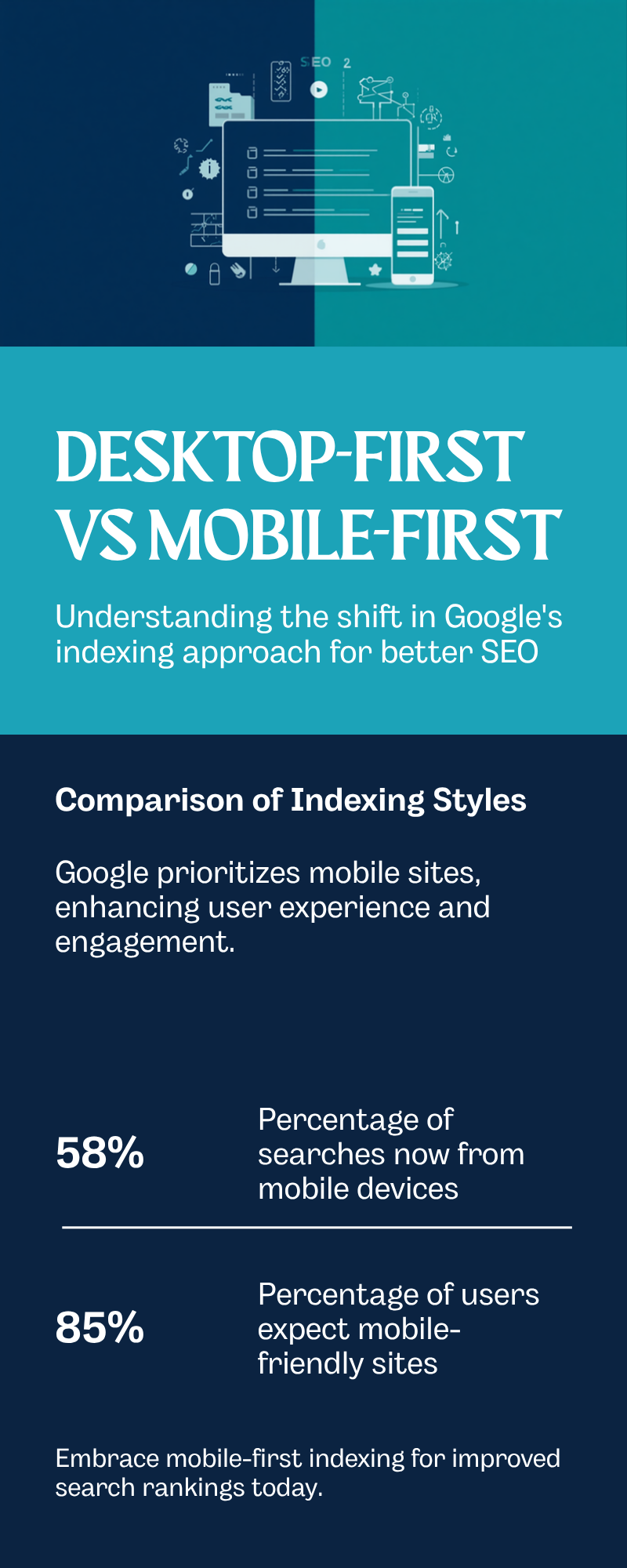
    Comparison infographic contrasting old desktop-first indexing with Google's current mobile-first indexing, showing what each version of a website means for Melbourne business rankings.

    This is exactly the kind of gap our technical SEO guide for Melbourne businesses flags as one of the most common, and most invisible, issues we find in a first audit. A site can look perfectly fine to a business owner checking it on their own phone while still failing key mobile-first checks in the background, because the problems are usually in the code, not the visible layout.

    Why this matters more in 2026 than it did five years ago

    Mobile is not a secondary channel anymore, it is the main one. According to Statista’s tracking of global web traffic, mobile devices account for roughly 64% of web traffic worldwide in 2026, and that share is even higher across parts of Asia and Africa where a large proportion of users are mobile-only. The regional spread below shows just how uneven, and how mobile-heavy, this picture actually is.

    Bar chart infographic showing mobile traffic share by region in 2026: Africa 79 percent, Asia 72 percent, global average 64 percent, United States 54 percent, sourced from Statista.

    For a Melbourne business, that means the majority of people who will ever see your site are doing so on a phone, often on the move, often on patchy reception. If your mobile experience is an afterthought, you are optimising for the minority of your traffic and ignoring the majority, while also handing Google a weaker version of your site to judge you by.

    There is a second, quieter cost too. Google’s Core Web Vitals, its real-world measurements of loading speed, visual stability and responsiveness, are collected primarily from mobile visits. A site that scores well on a desktop speed test can still score poorly on Core Web Vitals if the mobile experience is heavier or slower, and that score feeds directly into ranking. So a business can genuinely believe its site is fast, because someone checked it on office wifi on a desktop monitor, while the actual customer experience on a phone with three bars of reception tells a very different story.

    How to check your own site in five minutes

    You do not need a developer to get a first read on where you stand. Open your website on your own phone and compare it, section by section, against the desktop version on a computer. Look specifically for three things: any text or images that only appear on desktop, any menu items or service pages that are missing or renamed on mobile, and any section that only loads after tapping something, such as a hidden accordion or a “load more” button. If you find even one of these, there is a reasonable chance Google’s mobile crawler is seeing less of your site than your customers on desktop are.

    The table below summarises the difference between a site that is genuinely ready for mobile-first indexing and one that only looks ready.

    Check Ready sign Warning sign
    Content parity Every desktop section also appears in the mobile page code Content only shows after a menu tap, or is missing entirely
    Structured data Same schema markup present on both versions Schema present on desktop only
    Images Same file names and alt text on both versions Different or missing alt text on mobile images
    Load speed Loads in under 2.5 seconds on a typical mobile connection Takes 5 seconds or more on 4G
    Internal links All key navigation links present in the mobile menu Secondary pages only linked from the desktop footer

    If your last website rebuild happened more than two years ago, talk to our Melbourne team before your next content push. Fixing a mobile content gap is usually far cheaper than a full rebuild, but only if it is caught early.

    What this costs, how long it takes, and what goes wrong

    A mobile-first indexing audit and fix typically costs between $1,500 and $6,000 for a standard Melbourne small business site, depending on how much rebuilding the mobile templates need. Straightforward fixes, like exposing hidden content or correcting missing structured data, can be resolved within 2 to 3 weeks. A full responsive rebuild is a bigger project, usually 6 to 10 weeks from design through to launch.

    The three mistakes we see most often: mobile menus and accordions that hide entire sections of text from Google’s crawler, images on mobile that use different (or missing) alt text and file names than the desktop versions, and mobile pages that load a cut-down version of structured data or none at all. Each of these quietly caps your ranking ceiling even though nothing looks obviously wrong to a visitor scrolling through on their phone.

    Site speed compounds all of this. A mobile page that takes six seconds to load on a train commute loses visitors before Google even finishes evaluating the content. Core Web Vitals, Google’s set of real-world speed and stability measurements, are assessed primarily on mobile data, so a slow mobile experience shows up twice: once in lost visitors, and again in your technical ranking signals.

    Common questions

    Do I need a separate mobile website? No, and in most cases you should avoid one. Responsive design, where the same HTML and URL adapt to the screen size, is what Google recommends, because it guarantees the mobile and desktop versions stay in sync automatically rather than needing two sites maintained in parallel.

    How do I check if my site has a mobile content gap? Compare your desktop homepage and your mobile homepage side by side, paying attention to anything collapsed into a menu, tab or accordion, since that content still needs to be present in the page code even if it is visually hidden. Our FAQ section covers the tools we use to check this properly during an audit.

    Is this related to page speed? Closely related but not identical. Mobile-first indexing is about what content and structure Google can see on your mobile pages; page speed is about how fast that mobile page loads. Our guide to sitemaps and robots.txt covers a related technical basic worth checking at the same time, since a mobile page that is accidentally blocked from crawling will never be indexed regardless of how well built it is.

    What happens if I ignore this? Nothing happens overnight, which is exactly why it gets missed. Rankings tend to drift down gradually as competitors with properly built mobile pages pull ahead, rather than dropping suddenly in a way that triggers an obvious alarm. By the time a business notices enquiries have quietly slowed over a few months, the gap has usually been building for a year or more.

    A site that looks fine on your own phone can still be quietly losing rankings because of what Google’s crawler sees under the surface. Book a free audit with our Melbourne team and we will show you exactly where the gaps are, no lock-in contracts, response within 24 hours. Free Audit, or browse more guides on our SEO blog.

  • A Beginner’s Guide to XML Sitemaps and Robots.txt

    Most business owners never open their own robots.txt file. There is no reason to, day to day. But this one small text file, sitting quietly at yoursite.com/robots.txt, can stop Google from showing your entire website in search results, and most people who have this problem have no idea it exists until enquiries dry up and nobody can explain why. It is one of the most common issues we find during a first technical audit, and one of the fastest to fix once found.

    This guide explains what robots.txt and XML sitemaps actually do, in plain English, how to check your own site in five minutes, and the specific mistakes that quietly keep Melbourne business websites out of Google.

    What robots.txt actually does

    Robots.txt is a small text file that tells search engines which parts of your site they are allowed to look at. Think of it as a sign on the front gate, not a lock on the door. It is a request, not a security measure. A page blocked in robots.txt can still appear in Google if enough other sites link to it, so it is not a way to hide sensitive information.

    Most sites only need a few lines in this file. Problems start when a developer, an old plugin, or a staging site setup accidentally blocks the whole website, which happens more often than most business owners would expect. A single misplaced line can tell Google to stay away from every page you have.

    What an XML sitemap actually does

    If robots.txt is the sign on the gate, the XML sitemap is the map of everything worth seeing once you are inside. It is a file, usually at yoursite.com/sitemap.xml, that lists every page you want search engines to know about and roughly how important each one is.

    A sitemap does not force Google to include your pages. It is a strong hint, not a guarantee. But without one, Google has to discover your pages purely by following links, which takes longer and can miss pages that are not well linked internally.

    robots.txt XML sitemap
    What it does Tells search engines where they can and cannot go Lists the pages you want found and indexed
    File location yoursite.com/robots.txt yoursite.com/sitemap.xml
    Effect if missing Search engines assume everything is allowed Google finds pages more slowly, through links only
    Effect if wrong Can block your entire site from Google Can list pages that do not exist, or omit new ones

    Not sure whether your site has either of these set up correctly? Our free 30-minute audit will tell you, even if you never become a client. Book a free consultation.

    How to check your own site in five minutes

    You do not need any special software to do a basic check. Type your website address followed by /robots.txt into a browser and press enter. If you see a line that reads Disallow: / with nothing else qualifying it, your entire site is likely blocked from search engines. If the file does not load at all, that is usually fine, most search engines assume everything is allowed when no file exists.

    Next, type your website address followed by /sitemap.xml. You should see a list of page addresses, often with dates showing when each was last updated. If the dates are all more than a year old, or the list is missing pages you know exist on the site, the sitemap has likely gone stale.

    If your site runs on WordPress, plugins such as Yoast or Rank Math generate both files automatically, which is convenient but not foolproof. Automatic generation still inherits any blocking rules set elsewhere in the plugin, so a page marked noindex in the plugin settings can still show up in the sitemap by mistake, or vice versa. Automation removes the manual work, not the need to check the result.

    Neither check tells you everything a proper audit would, but both take under a minute and can catch the two most damaging mistakes on this list.

    How the two files work together

    These two files do different jobs but they need to agree with each other. Robots.txt should list the location of your sitemap so search engines find it immediately, rather than stumbling across it eventually. And critically, a page listed in your sitemap should never be a page that robots.txt blocks. That contradiction, telling Google to both index a page and stay away from it, sends a confused signal that can leave the page in limbo, neither properly indexed nor properly excluded.

    Googlebot, the program Google uses to read websites, is a heavy user of the internet in its own right. Googlebot alone accounted for 4.5% of all HTML requests across Cloudflare’s global network in 2025, more than every AI crawler combined, according to Cloudflare’s own year in review. That scale is exactly why these two small files matter: with that much automated traffic reading the web, a site that makes it easy for Googlebot to find and understand its pages has a real advantage over one that leaves it guessing.

    We cover this alongside the rest of your site’s technical health in our practical guide to technical SEO for Melbourne businesses, which is worth reading if this is the first time you have looked under the bonnet of your own website.

    Common mistakes Melbourne businesses make

    The most common and most damaging mistake is a leftover line from a staging or development site: Disallow: /. This single line tells every search engine to stay away from the entire website. It is meant to stop Google from indexing a test version of a site before launch, and it gets left in place after the real site goes live far more often than developers would like to admit. We have seen this exact mistake cost a Melbourne business months of invisibility on Google after what should have been a routine website redesign.

    The second common mistake is a sitemap that never gets updated. A business adds a dozen new pages over a year and the sitemap still lists the same twelve pages from when the site launched. New pages take longer to be found and can be missed altogether if nothing links to them clearly.

    The third is blocking useful pages by accident, such as blocking an entire folder to hide old, unfinished content, without checking whether any live, valuable pages sit inside that same folder. This is especially common on sites that have been through more than one redesign, where old folder structures are blocked out of caution and never revisited.

    If a technical audit sounds like exactly what your site needs right now, talk to our Melbourne team. Fixing a broken robots.txt file is usually a same-day job. Talk to our Melbourne team.

    What this costs, how long it takes, and what goes wrong

    Checking and fixing robots.txt and sitemap issues is one of the cheaper technical SEO jobs there is, because it is configuration work rather than content work. A straightforward fix can often be completed within a day once identified, though the audit to find every issue on a larger site can take a week or two.

    The larger cost is what happens while the problem goes unnoticed. Australians spent a record $82.6 billion online in 2025, up 14% year on year, with 24% of all retail spend now happening online, according to the Australia Post eCommerce Report 2026. A Melbourne business with a blocked robots.txt file is invisible for the entire slice of that spending that starts with a Google search, for as long as the mistake goes uncaught.

    What typically goes wrong is not the technical fix itself, it is finding the problem in the first place. Most business owners only discover a robots.txt issue when someone mentions their site does not come up on Google, months after the mistake was made, often after a website migration or a change of web developer where nobody checked what changed under the surface.

    Frequently asked questions

    Do I need both a robots.txt file and a sitemap? Yes. They serve different purposes and most SEO plugins or website platforms will create basic versions of both automatically, but they still need to be checked, not assumed to be correct. See our full FAQ for more.

    How do I check if my site has a robots.txt problem? Google’s own Crawl Stats report in Search Console shows exactly how Googlebot is treating your site, including blocked requests, alongside the quick manual check described above.

    Should I submit my sitemap to Google directly? Yes, submitting it through Google Search Console speeds up discovery, though it is not a substitute for having the file itself correctly built and linked from robots.txt.

    What happens if I fix a blocked robots.txt file today? Google does not re-crawl a site instantly, so expect pages to start reappearing in search results over the following one to three weeks, not overnight, and full recovery can take a little longer for a large site.

    A website that reads perfectly to a human but blocks search engines is invisible for the searches that matter most. Book your free consultation. No lock-in contracts, reply within 24 hours, Melbourne-based team. Get started.

    For more guides like this one, visit our SEO blog.

    Sources: Google Search Central guidance on robots.txt and building a sitemap; Google Search Console Help, Crawl Stats report; Cloudflare Radar 2025 Year in Review; Australia Post eCommerce Report 2026.

  • A Practical Guide to Technical SEO for Melbourne Businesses

    A Practical Guide to Technical SEO for Melbourne Businesses

    You have spent money on a good-looking website. The copy reads well, the phone number is easy to find, and your Google Business Profile (the free listing that shows your business on Google Maps and in local search results) is filled in properly. Yet enquiries from Google search are thin, and the problem probably sits under the bonnet rather than in the words on the page. That “under the bonnet” work is technical SEO (search engine optimisation, the practice of improving a website so Google can find, understand and rank it in unpaid search results), and it is usually the reason a genuinely good Melbourne business stays buried on page two. This guide covers what technical SEO actually means, the problems we see most often in Melbourne businesses, what fixing them typically costs and takes, and the specific things you can check yourself or ask your web developer about this week.

    What technical SEO actually means

    Technical SEO covers everything that affects whether Google can find your pages, understand what they are about, and load them fast enough that visitors stick around. It sits underneath content and links, and little else matters if this layer is broken. Three ideas come up constantly, so they are worth defining properly.

    Crawlability is whether Google’s automated software (called a crawler, or “Googlebot”) can actually reach and read your pages by following links and your sitemap, a file that lists every page you want found. Indexing is the separate step where Google decides a page is worth storing in its index, the database it searches when someone types a query. A page can be perfectly crawlable and still be excluded from the index if Google judges it thin, duplicate, or accidentally blocked by a “noindex” instruction. Schema markup (also called structured data) is extra code added to a page that describes its content in a format Google understands directly, for example marking up a review, a menu, or an opening-hours listing so it can appear as a richer result in the search listing.

    Google’s own guidance for site owners lays out this foundation in plain terms and is worth reading once even if you outsource the work (Google Search Central, SEO Starter Guide).

    Not sure where your own site stands on any of this? A free 30-minute audit will tell you, in plain English, no obligation attached. Book your free technical SEO audit.

    Four-week technical SEO Melbourne audit timeline showing crawl and indexation checks, site speed and Core Web Vitals work, mobile usability review, and schema markup and security review
    A typical four-week technical SEO audit and fix sequence for a Melbourne small-to-medium business website.

    Common technical SEO problems in Melbourne business websites

    After auditing hundreds of Melbourne sites across trades, retail, professional services and healthcare, the same handful of issues show up again and again. Most come from a website being built for how it looks rather than how a crawler reads it, or from a plugin update years ago that nobody has checked since.

    Common issue What it looks like Why it hurts rankings
    Duplicate or thin pages Near-identical service pages for every suburb, each with one paragraph swapped in Google may index only one version, or none, judging the rest as low value
    Broken internal links and 404 errors (the message a page shows when it no longer exists) Old menu items, deleted pages, or a site migration nobody redirected Wastes crawl budget, the limited number of pages Google bothers to check on each visit, and loses link value
    Slow-loading images and scripts Product or team photos uploaded straight from a phone, with no compression Drags down Core Web Vitals, Google’s measurements of loading speed, visual stability and responsiveness
    Missing or incorrect canonical tags (the signal telling Google which version of a duplicate page is the main one) The same page reachable at three addresses, with and without “www”, with and without a trailing slash Splits ranking signals across near-duplicate URLs instead of consolidating them
    No HTTPS or mixed content Padlock missing in the browser bar, or a security warning on some pages Google treats HTTPS, the encrypted, secure version of a web address, as a baseline trust signal

    Site speed and Core Web Vitals: the part Google measures directly

    Site speed used to be a vague nice-to-have. It is now something Google actually measures on real visitors’ devices, through scores called Core Web Vitals: how fast the main content appears, how quickly the page responds to a tap or click, and how much the layout jumps around while loading. The 2025 Web Almanac, HTTP Archive’s annual study of the web built from real Chrome user data, found only 48% of mobile sites and 56% of desktop sites passed all three Core Web Vitals thresholds, meaning roughly half the web still ships a slower or jumpier experience than Google considers good (HTTP Archive, 2025 Web Almanac, Performance chapter).

    Bar chart of 2025 to 2026 technical SEO statistics for Melbourne businesses, including Core Web Vitals pass rates and the share of Australian businesses selling online
    Core Web Vitals pass rates (HTTP Archive, 2025 Web Almanac) alongside how many Australian businesses actually trade and market online (ABS, Characteristics of Australian Business, 2024-25).

    The business case is not abstract either. The Australian Bureau of Statistics found that in the 2024-25 financial year, 51% of Australian businesses used social media for their online presence and 32% received orders online, both measures of how much revenue now depends on a functioning, findable website rather than a shopfront alone (ABS, Characteristics of Australian Business, 2024-25). If your site is slow on a phone at a Melbourne cafe, some of that 32% is going to a faster competitor instead.

    If your homepage takes more than a few seconds to load on a phone, that is worth fixing before anything else. Our technical SEO service starts every engagement with exactly this kind of speed and crawl diagnosis.

    What technical SEO costs, how long it takes, and what goes wrong

    Pricing depends on how broken things are and how large the site is:

    Site size Typical one-off audit and fix cost Ongoing monthly technical maintenance
    Small local site (under 20 pages) $600 to $1,200 $150 to $350
    Multi-location or service business (20 to 100 pages) $1,200 to $3,000 $350 to $800
    E-commerce or enterprise site (100+ pages, product catalogue) $3,000 to $8,000+ $800 to $2,500+

    Most audit and fix work finishes within two to four weeks. Google then needs time to recrawl and reassess the site, so ranking movement from technical fixes alone typically shows within four to eight weeks, faster if the site was badly broken to begin with.

    What goes wrong is rarely dramatic. It is usually a developer fixing the visible symptom (a page that looks broken) without checking whether the underlying cause (a bad redirect, a blocked resource, or a duplicate sitemap) affects twenty other pages the same way. The other common failure is treating technical SEO as a one-off project instead of ongoing maintenance, since a redesign, a new plugin, or a rebrand can silently reintroduce the exact problems an audit just fixed. That is why fortnightly, plain-language reporting is standard on every engagement we run, and why our results page shows real before-and-after numbers rather than vanity metrics.

    Practical steps you can take this week

    You do not need to become technical to ask the right questions or run a first check yourself.

    • Run your homepage through a free page-speed check. Look at the mobile score specifically, since that is what Google uses for ranking under mobile-first indexing, its practice of using the mobile version of your site as the primary basis for indexing and ranking (Google Search Central, mobile-first indexing).
    • Search “site:yourdomain.com.au” in Google and skim the results. Missing pages, or old deleted pages still showing, both signal an indexing problem.
    • Check for the padlock. Every page should load under HTTPS with no browser security warning.
    • Ask your web developer three questions: when was the sitemap last updated, are any pages wrongly blocked in robots.txt (the file telling crawlers which pages to skip), and what did the last Core Web Vitals check show.
    • Set a quarterly reminder to repeat these checks, since plugin updates and redesigns reintroduce technical issues quietly and often.

    Frequently asked questions

    Do I need technical SEO if my content and reviews are already good?
    Yes. Great content on a page Google cannot crawl, index or load quickly is invisible no matter how well it is written. Technical SEO is the foundation the rest of your SEO sits on, not a separate, optional layer.

    Can I fix technical SEO myself on a WordPress site?
    Some of it, particularly image compression, an XML sitemap plugin, and basic redirect clean-up. Schema markup, crawl budget issues and Core Web Vitals diagnosis usually need a developer or an agency with technical depth.

    How do I know if my current provider is doing this work?
    Ask for a plain-English summary of your site’s Core Web Vitals scores and indexing status. If they cannot produce one within a day or two, it probably is not being monitored. More questions like this are covered on our FAQ page.

    Where to go from here

    Technical SEO is not glamorous, and nobody notices it when it is done properly, which is exactly the point. The businesses that fix it quietly outrank the ones spending more on content and links while ignoring the foundation underneath. Start with the free checks above, or skip straight to a professional look at your own site. Book your free consultation and 40-point technical audit. No lock-in contracts, and our Melbourne-based team replies within 24 hours. For more practical guides, browse our SEO blog, including our recent piece on red flags to watch for when hiring an SEO agency.